
Text Viewer: TXT, LOG & RTF
Open huge TXT and LOG files, detect or pick the encoding, read RTF, find lines.

When you need it
A text file on your phone shows up as garbled characters, or a log hundreds of MB long freezes before it opens.
Screenshots
What it does
Only what you need
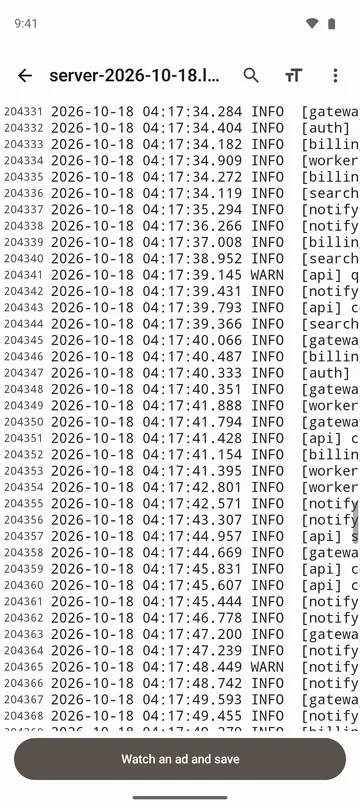
- Opens TXT and LOG files up to 512 MB (256 MB for UTF-16, up to 5 million lines), with line numbers and a scroll bar you can drag to jump anywhere.
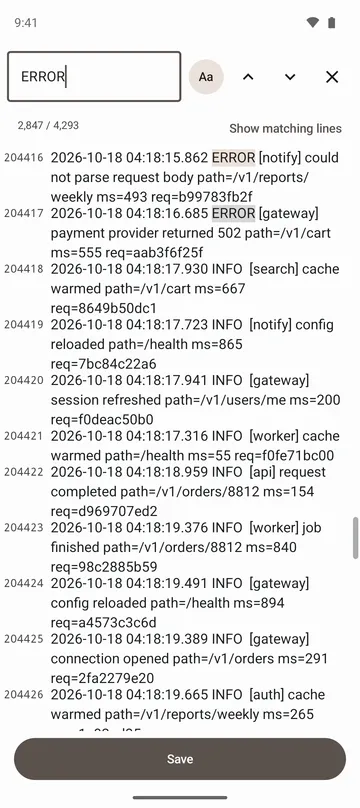
- Searches the whole file, tells you how many matches there are, and can list only the matching lines. Tap one to go there.
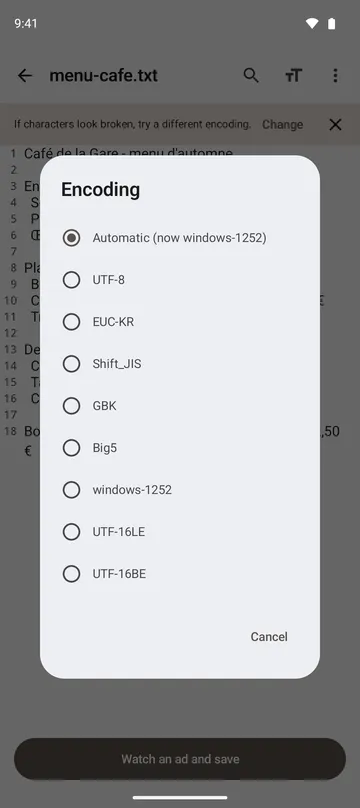
- Detects the encoding (UTF-8, UTF-16, EUC-KR, Western European), and lets you pick Shift_JIS, GBK, Big5 and others yourself if the text still looks wrong.
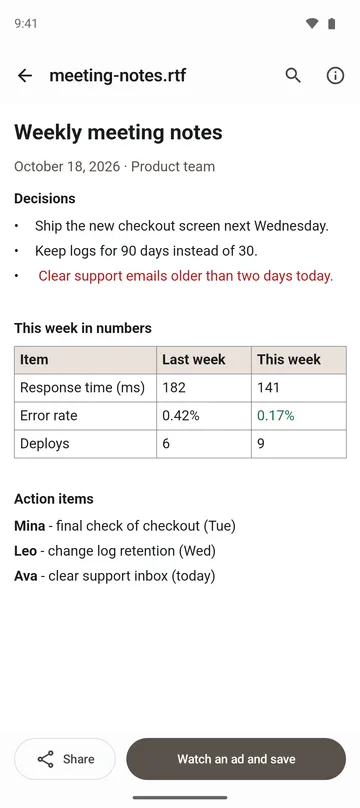
- Shows RTF bold, italic, underline, text colour, alignment, tables, PNG and JPEG pictures, and footnotes.
- Save what you see as a UTF-8 copy or a PDF. From RTF, you can also save just the text as .txt.
- Turn off Wrap long lines to scroll sideways like a log viewer, and change text size, line numbers and monospace font.
How to use it
Done in 4 steps
- Tap Open a file on the home screen and choose a TXT, LOG or RTF file. Large files show progress while lines are counted.
- If the text looks garbled, tap Change on the banner at the top, or choose Encoding under More options.
- Tap Find to search, and step through results with the previous and next buttons. Tap Show matching lines to see only the lines that contain it.
- To jump to a line, open More options, tap Go to line and enter the number.
What it doesn't do
Good to know before you install
- The app only reads files. Your original is never changed.
- Files over 512 MB (256 MB for UTF-16) or over the line limit show only the beginning, and the screen tells you so.
- RTF files over 64 MB won't open. Headers and footers aren't shown, pages run together with no breaks, and some picture formats don't appear.
- .doc and .docx documents and PDF files can't be opened.
FAQ
My text shows up as strange characters.
The file is probably in an older encoding. The app detects common ones, but if it still looks wrong, choose one under Encoding. Once it reads correctly, save a UTF-8 copy so it opens properly elsewhere.
Can I see only the error lines in a log?
Search for the term and tap Show matching lines. Only the lines that contain it are listed, and tapping one takes you there.
Does it remember where I was?
If you reopen a file you opened from the app's file picker and it hasn't changed, it picks up at the line you were reading.
This app doesn't appear in another app's Share menu.
It appears only when the sending app hands over the file as RTF or LOG. Save the file first, then choose it with Open a file.
Is my file uploaded?
No. Only the file you choose is read, and it's shown on this device. The app doesn't ask for access to your whole storage.
Get the app
Text Viewer: TXT, LOG & RTF
Open huge TXT and LOG files, detect or pick the encoding, read RTF, find lines.