
HTML ViewerHTML File Reader
Open HTML and MHT files as page or source. Open a folder for images and styles.

When you need it
Someone sent you an HTML file, and on your phone it opens as a wall of code, or nothing offers to open it at all.
Screenshots
What it does
Only what you need
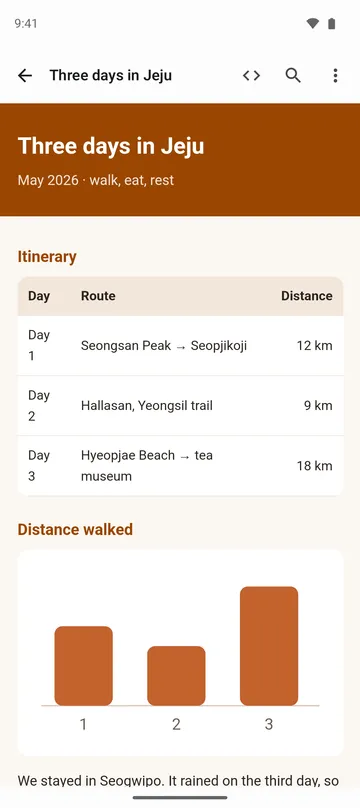
- Shows .html, .htm and .xhtml files as the page they were meant to be.
- Opens MHT and MHTML files (a web page saved as a single file) with their images and styles.
- Open a whole folder and the page picks up the images and stylesheets next to it, and links to other pages in that folder work.
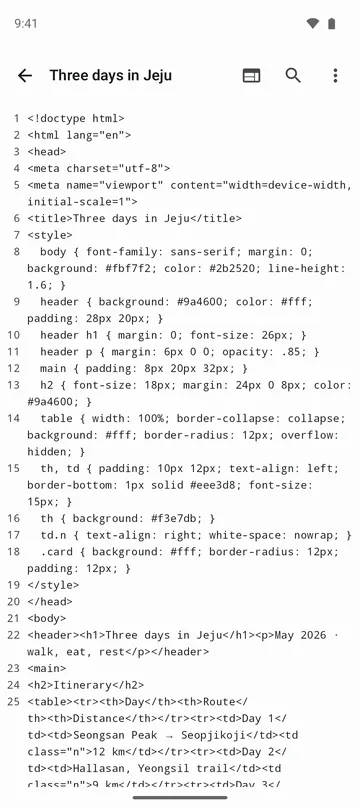
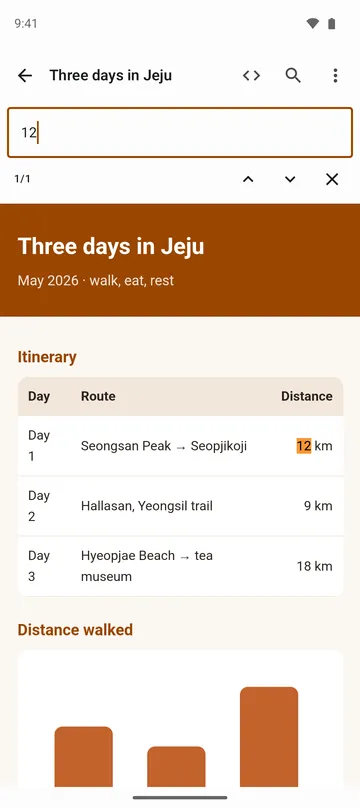
- Flip to source view for line numbers, search, and copying exactly the lines you need.
- If the text comes out garbled, pick the encoding yourself (UTF-8, EUC-KR, Shift_JIS and more).
- Save the page you're looking at as a PDF.
How to use it
Done in 5 steps
- Tap the HTML file in your file manager or messaging app and choose this app. You can also tap Open file on the app's home screen.
- If images or styling are missing, use Open folder on the home screen, pick the folder the file lives in, and tap the page in the list.
- Use the angle-bracket (<>) icon in the top bar to switch between page view and source view.
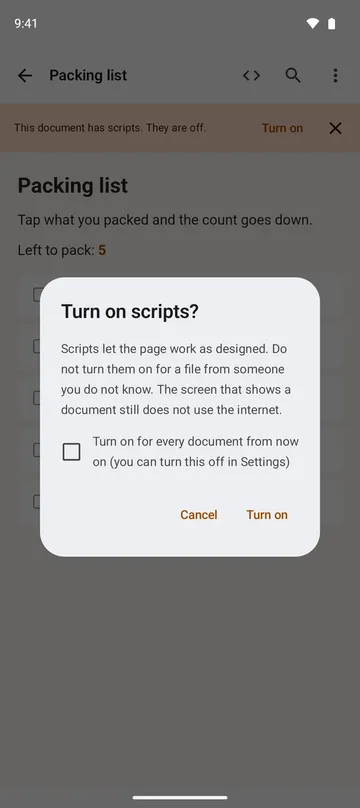
- Scripts start off. If the page has any, a bar at the top lets you tap Turn on. With Always turn on scripts in Settings, new pages open with scripts on.
- Open the menu at the top right to save as PDF, change the encoding or text size, or share the file.
What it doesn't do
Good to know before you install
- It's a viewer only. You can't edit HTML or create new files.
- Images and fonts the page tries to pull from the internet won't load, because the screen that shows the page never goes online.
- HTML files up to 20 MB and MHT/MHTML files up to 50 MB.
- Emails saved as MHT (.eml-style files) aren't supported.
FAQ
Why are the images broken and the page unstyled?
When you open a single HTML file, the app can't reach the image and CSS files sitting beside it. Use Open folder and pick that folder instead. Files in that folder and its subfolders load; anything in a parent or sibling folder doesn't.
Can I type in a web address and open a site?
No. It opens files on your device, plus HTML you've copied and paste in.
Is it safe to open an HTML file from someone I don't know?
Scripts are off when a page opens unless you've chosen Always turn on scripts (once turned on, they stay on until you close that screen, including pages you reach by links), and the screen that shows it doesn't connect to the internet. Links that lead outside show their address first and only go to another app if you choose to open them.
My MHT file doesn't show this app in the Open with list.
Some file managers won't hand MHT files to other apps. Open this app first and pick the file with Open file.
What do I need to run it?
Android 11 or later. Files open without an internet connection.
Get the app
HTML Viewer
Open HTML and MHT files as page or source. Open a folder for images and styles.