
ZIP & RAR ExtractorUnzip 7z
Extract ZIP, RAR (RAR4/RAR5) and 7z, open files inside, and make split ZIPs.

When you need it
An email attachment arrived as a .zip or .rar, and all you want is the one document inside, but your phone won't open it.
Screenshots
What it does
Only what you need
- Opens and extracts ZIP, 7z, RAR (RAR4 and RAR5), TAR, GZ, BZ2 and XZ.
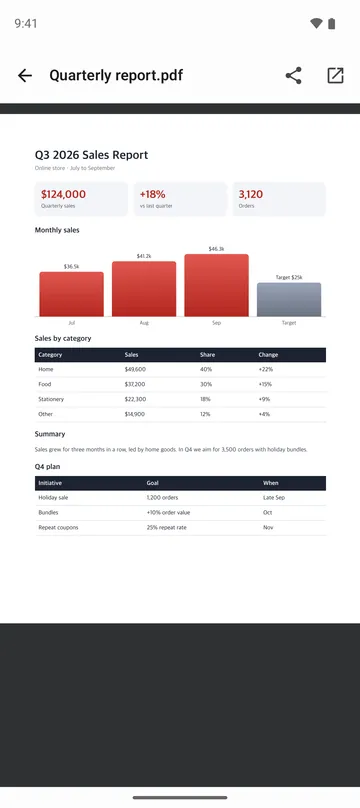
- Tap a PDF, photo, text file or HWP document inside the archive to view it without extracting everything.
- Handles password-protected ZIP, 7z and RAR files, and split archives like .z01, .7z.001 and .part1.rar.
- Keeps file names readable in ZIPs made on Windows, and lets you switch the text encoding if they still look off.
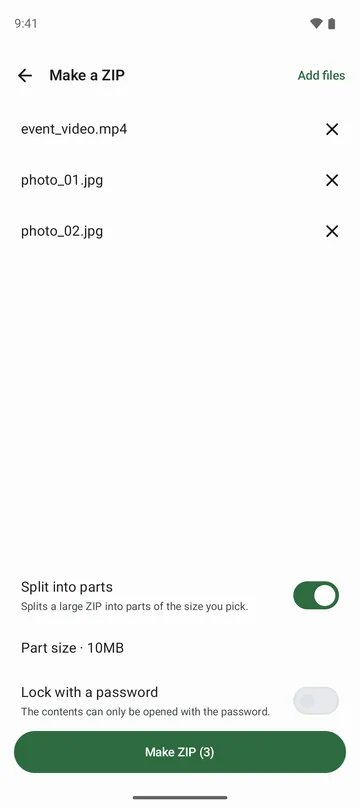
- Bundles files into a single zip, with an optional password, or splits it into parts from 10 MB to 1 GB.
- Saves an HWP document as a PDF, or combines the photos inside into one PDF.
How to use it
Done in 4 steps
- Tap the archive in your email or messaging app and choose this app, or tap Open archive on the home screen.
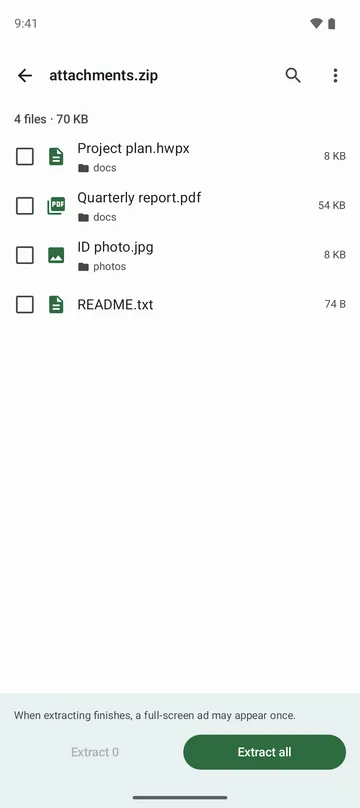
- You'll see a list of what's inside. Tap any document or photo to open it right there, no extracting needed.
- Tap Extract all to get everything, or check just the files you need and extract those.
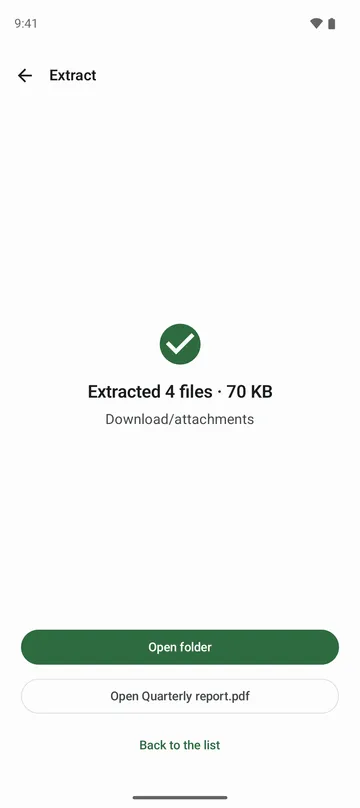
- Files land in a new folder in Downloads named after the archive. Tap Open folder on the finished screen to see them.
What it doesn't do
Good to know before you install
- EGG and ALZ archives aren't supported yet.
- A password on a zip you create locks the contents, but file names stay visible without it.
- AES-256 zips may not open in the built-in unzip tool on some PCs. Pick ZipCrypto if the other person has an older computer.
- A split zip can have up to 100 parts, counting the final .zip. For more, choose a bigger part size.
FAQ
Where do extracted files go?
Into a new folder in Downloads with the same name as the archive. On Android 8 and 9, you choose where that folder goes.
How do I open a split archive?
Open one part, and the app asks you to pick the rest. Select all the parts you downloaded and it extracts them together.
The file names look like gibberish. What now?
The app reads names from Windows-made ZIPs automatically, but if they still look broken, switch the encoding from the file list and it reads them again.
Does the app keep my archive passwords?
No. Passwords are never saved, and archives and their contents are processed on your phone, not sent to our servers.
Do I need to grant storage access?
No. The app doesn't ask for broad permissions like All files access, or for storage, camera, contacts or location.
Get the app
ZIP & RAR Extractor
Extract ZIP, RAR (RAR4/RAR5) and 7z, open files inside, and make split ZIPs.