
Speaker Test & Mic Test
Check left, right, earpiece and mic, then compare with your last check.

When you need it
Your speaker or mic seems off, or you're about to buy or sell a used phone, and you want to know right now whether the audio actually works.
Screenshots
What it does
Only what you need
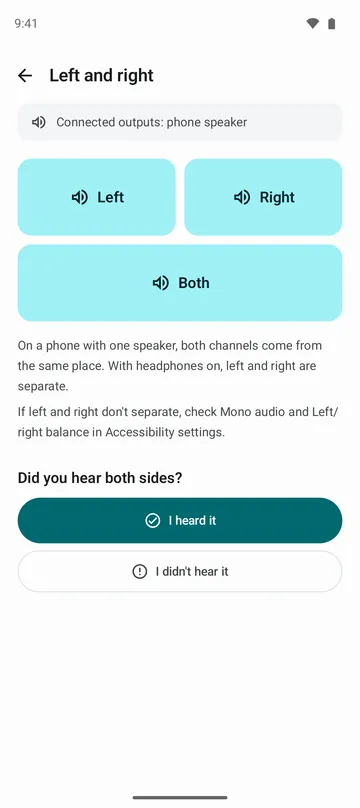
- Play a short tone on the left channel, the right channel or both, and hear whether each side works.
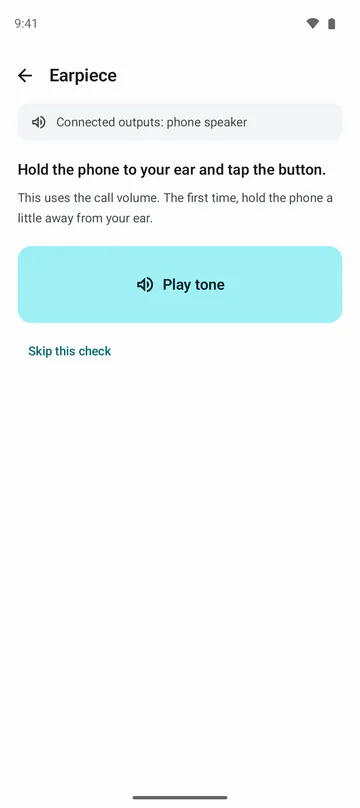
- Send a quiet tone through the earpiece only, the small speaker you hold to your ear on calls.
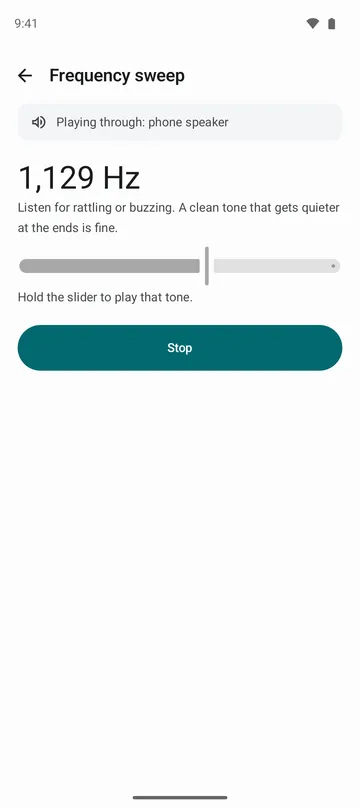
- Hold a slider to play any tone from 20 Hz to 20,000 Hz, or run a 12-second sweep from low to high, and listen for rattling or buzzing.
- Watch a level bar move as you speak, then record 5 seconds and hear it back. Switch between the default mic and the one used for video.
- See where the sound is going at all times: phone speaker, wired headphones, Bluetooth or USB.
- Get a result with the date and your phone model, compare it with your last check, or share it as a single image.
How to use it
Done in 5 steps
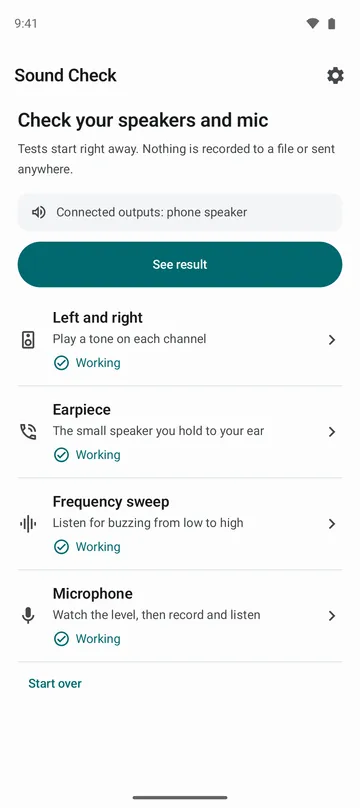
- Open the app. The home screen lists four checks: left and right, earpiece, frequency sweep and microphone. Tap one.
- Tap Left, Right or Both, listen to the tone, then tap I heard it or I didn't.
- For the earpiece, hold the phone to your ear and tap Play tone. For the sweep, start the auto sweep and listen for any buzzing.
- Start the microphone check and allow the mic when asked. Talk to see the bar move, then tap Record 5 seconds to hear yourself.
- Tap See results on the home screen to review each check, and share the result image if you need it.
What it doesn't do
Good to know before you install
- It only helps you check. It doesn't change your speaker or make it louder.
- It doesn't measure your hearing, and the level bar is a relative value, not a dB reading.
- The earpiece check needs Android 12 or later and a phone that has an earpiece.
- On a phone with one speaker, left and right come from the same place. Use headphones to hear them separately.
FAQ
Where does my recording go?
It stays in memory only. It's never saved as a file or sent anywhere, and it's erased when you leave the microphone screen.
Do I have to allow the microphone?
Only for the microphone check, and the app asks when you start it. Left and right, earpiece and the sweep all work without it.
I can't hear the very low or very high tones. Is my speaker broken?
Probably not. Small phone speakers often can't play the extreme lows and highs, and the app tells you where that's normal.
I plugged in headphones and the speaker went quiet.
The sound is likely going to your headphones. Check the bar at the top of the screen to see where it's playing right now.
What if a check fails?
The result screen suggests simple things to try first, like the case, the volume, headphones or a restart. If it still fails, ask a service center.
Get the app
Speaker Test & Mic Test
Check left, right, earpiece and mic, then compare with your last check.