
JSON Viewer & EditorXML
Open big JSON files, edit, and save them. Print. Views XML too.

When you need it
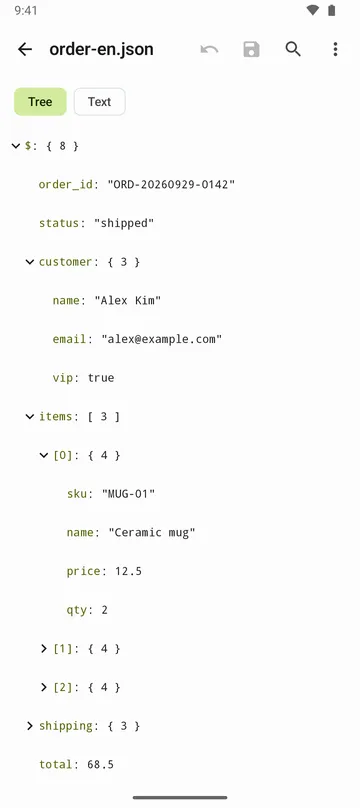
A JSON file opens on your phone as one long line, so you can't see its structure, let alone fix a single value.
Screenshots
What it does
Only what you need
- Shows JSON as a collapsible tree or as text with line numbers, with item counts and paths like $.items[3].name.
- Opens files up to 50 MB. Search for a key or value and jump straight to it.
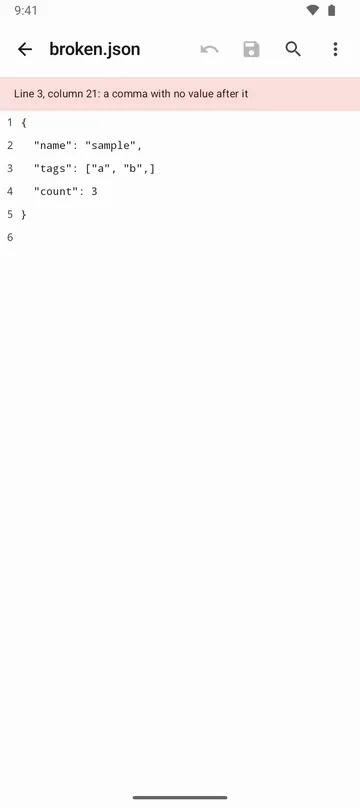
- For broken JSON, tells you the line, the column and what's wrong.
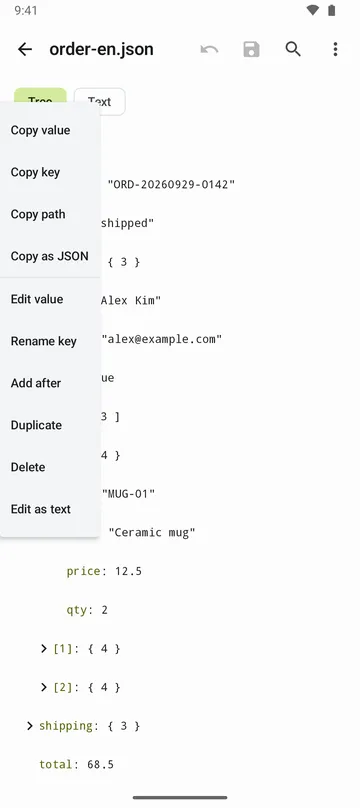
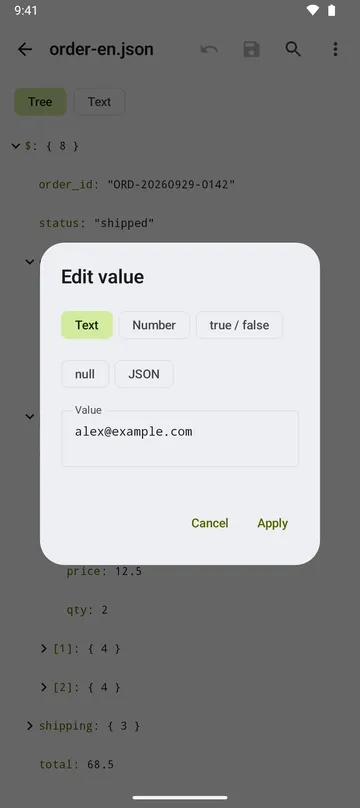
- Edit values, rename keys, add, duplicate or delete items, or edit as text, with undo. Editing works up to 5 MB.
- Saving changes only what you changed. Indentation, key order and number formats stay as they were.
- Save or share as PDF with line numbers, or print. XML files can be viewed as a hierarchy too (view only).
How to use it
Done in 4 steps
- Tap Open file on the home screen, or pick this app from another app's Share menu. Copied JSON opens with Paste JSON.
- Switch between Tree and Text at the top, and use Search to find a key or value.
- Tap a value and choose Edit value, Rename key, Duplicate or Delete from the menu.
- Tap Save to write back to the original. If the file can't be overwritten, use Save as… to make a new file.
What it doesn't do
Good to know before you install
- Files over 50 MB won't open.
- Files over 5 MB, JSON with comments, JSON Lines, some text encodings and XML are view and search only.
- PDF and printing work for documents up to 5 MB and 2,000 pages.
- For large documents, copying all the text may be refused because of your phone's clipboard limit.
FAQ
Why can't I save a shared file back to the original?
That file doesn't allow writing. Use Save as… to save your edits as a new file.
What if saving goes wrong?
A copy of the original is kept inside the app before saving, and the file is read back afterwards to check it. If something fails, the original is restored or kept under Recovery files on the home screen.
What if the app closes while I'm editing?
You can pick up your edits from the last autosave. Unsaved edits are listed on the home screen.
Can I edit XML?
No. XML files are shown as elements and attributes in a hierarchy, view only.
Is my file sent to a server?
No. JSON and XML content is processed on your device and isn't sent to the developer's server. It only leaves when you choose to save, share or print, and it goes where you pick. There's no sign-in.
Get the app
JSON Viewer & Editor
Open big JSON files, edit, and save them. Print. Views XML too.