ProtractorPhoto Angle, Tilt
Measure angles on the screen or on a photo, and read tilt with your phone.

When you need it
You need the angle of a furniture edge or a roofline in a photo, and you'd rather use your phone than hunt for a protractor.
Screenshots
What it does
Only what you need
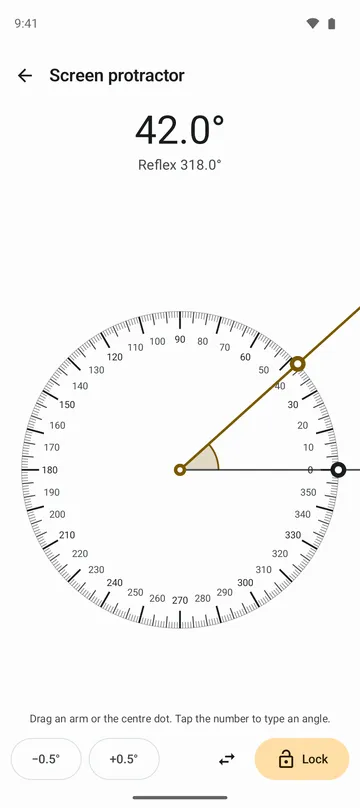
- A full 360° dial with marks every degree and bold marks every 15°. Lay an object on the screen and drag the arms to its edges, and move the centre dot anywhere.
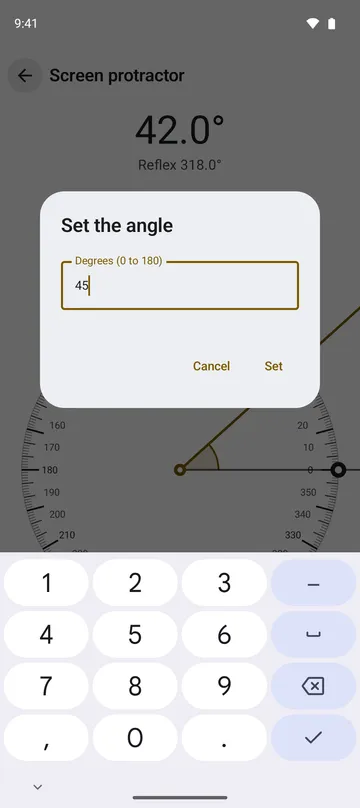
- Tap the number to type an angle, tap 15°, 30°, 45° or 60° to set it in one step, use the half degree buttons for small turns, and lock the arms in place.
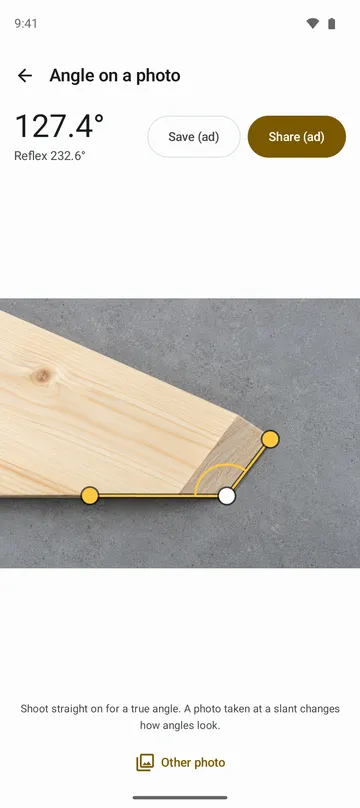
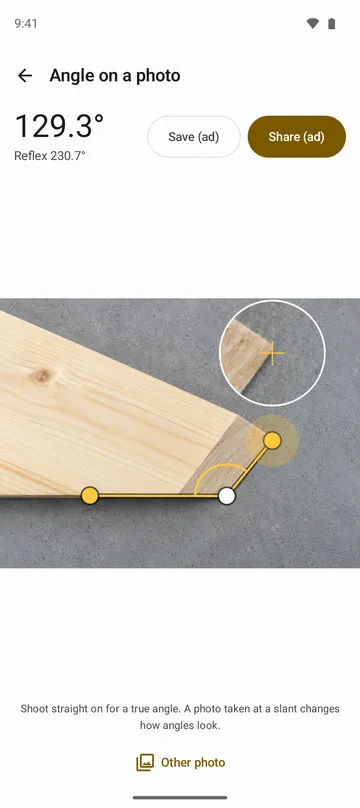
- Place a corner point and two arm points on a photo. A magnifier shows what is under your finger, and you can pinch to zoom.
- Save or share the photo with the angle marked on it.
- Lay the phone flat to see front–back and left–right tilt with a bubble, or stand it on an edge to read that edge's angle. Set zero and hold a reading.
How to use it
Done in 4 steps
- Open the app. The home screen shows Screen protractor, Angle on a photo and Tilt.
- In Screen protractor, lay the object on the screen and drag an arm or the centre dot to its edges. Tap the number to type an angle.
- In Angle on a photo, tap Pick a photo or Take a photo, drag the three points into place, then tap Save or Share.
- In Tilt, lay the phone flat or stand it on an edge. Tap Set zero on a flat surface you trust, and tap Hold to keep a reading.
What it doesn't do
Good to know before you install
- An angle on a photo is true only when the photo is taken straight on. A slanted photo changes how angles look.
- Tilt readings depend on your phone's sensor, and phones without a tilt sensor can't show them.
- On the screen protractor your finger sets the limit, so use the half degree buttons or type the angle.
- Photos over 100 MB or 200 megapixels won't open.
FAQ
Do I need to allow the camera?
No. The app doesn't ask for camera permission. Taking a photo opens your own camera app.
Are my photos uploaded?
No. Only the photos you choose are read, and they stay on your device. A marked photo leaves the app only when you save or share it.
The arm keeps sticking to an angle.
The measuring arm sticks to multiples of 15° when it comes within 1°. Turn off Snap to common angles in Settings.
The tilt reading looks a little off.
Tap Set zero on a flat surface. To go back to the sensor's own reading, tap Undo zero.
Where are saved photos?
In Pictures/Protractor. You can also share a photo to the app from your gallery to open it.
Get the app
Protractor
Measure angles on the screen or on a photo, and read tilt with your phone.