Personal Color Self Drape Test
Try drapes on your photo, find your closest of 12 tones, compare with last time.

When you need it
You want to know whether you're warm or cool, but apps that judge a photo feel hard to trust, and you keep picking the colors you already like.
Screenshots
What it does
Only what you need
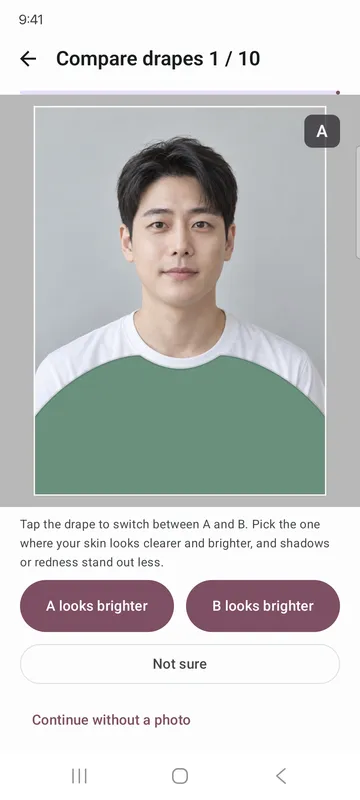
- Hold two color drapes up to your own photo in the same spot, one after the other, and pick the one that makes your face look brighter. Ten times, with no color names shown.
- Your choices and 8 short questions, like vein color or which jewelry suits you, are combined into your closest and next closest tone out of 12.
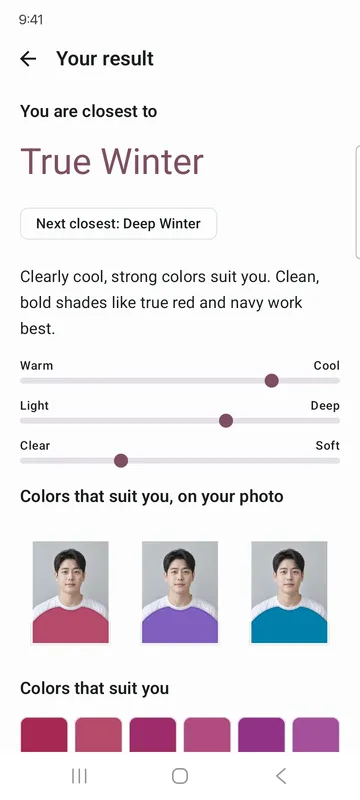
- See where you sit on three scales: warm to cool, light to deep, clear to soft.
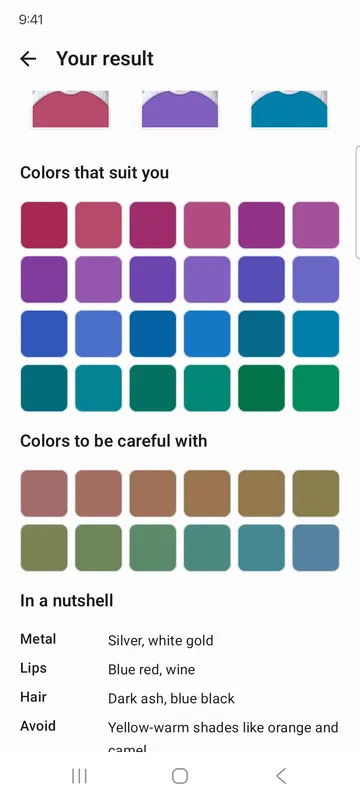
- Get 24 colors that suit you and 12 to be careful with, metal, lips, hair and colors to avoid at a glance, plus the colors that suit you shown on your photo.
- Try again and see your result next to the last one, including how you moved on each scale.
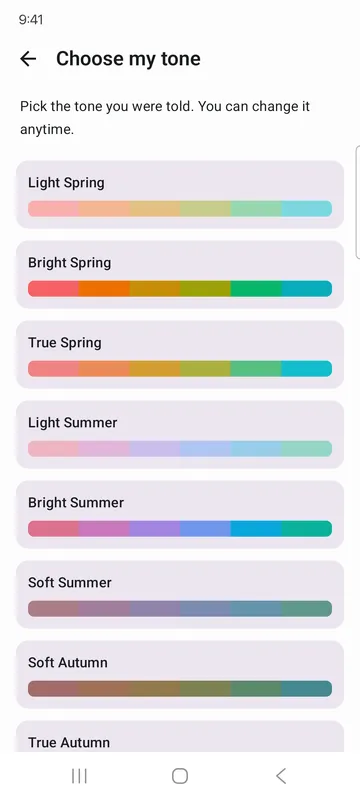
- Already know your tone? Set it yourself from the 12 and browse its palette and style guide.
How to use it
Done in 5 steps
- On the home screen, tap Start with a photo, then Take a photo or Choose from gallery. Prefer no photo? Tap Questions only, no photo.
- Read How your photo is used and tap Agree and continue.
- On Line up your face, pinch and drag so your face fits the oval and your shoulders sit on the line. If the colors look off, turn on White balance and tap something white.
- Tap the drape to switch between A and B, choose A looks brighter or B looks brighter, then answer the 8 questions.
- Tap See my result to see your closest tone and palette. It takes about 3 minutes.
What it doesn't do
Good to know before you install
- It is a reference result based on your photo and answers. Colors in a photo change with lighting and screens.
- The app does not judge your tone from the photo. It only combines the drapes you chose and your answers.
- If your drape choices and answers point different ways, it suggests looking at the next closest tone too.
FAQ
Is my photo uploaded?
No. It is used only on this device to draw the comparison. The photo file is deleted when your result is ready, and nothing of it is left once you leave the result or close the app.
Does the app read my face to decide my tone?
No. The app does not detect or analyze faces. You choose which drape looks better, and the app combines your choices and answers.
How should I take the photo?
Use soft daylight near a window, no makeup or very little, a white top, and hair pulled back from your face. Turn off beauty mode and filters.
What does my history keep?
Your tone, scores, drape choices and answers, with no photo.
Do I need to allow the camera or photos?
No. The app asks for no camera or photo permissions.
Will my face be on the share card?
Only if you turn on Include my photo yourself.
Get the app
Personal Color Self Drape Test
Try drapes on your photo, find your closest of 12 tones, compare with last time.