
Kalimba Tuner & Tabs
Tune 17 or 21 keys in C, G or F major, read and hear tabs, and play along.

When you need it
You just got a kalimba, you're not sure it's in tune, and once it is, you don't know what to play first.
Screenshots
What it does
Only what you need
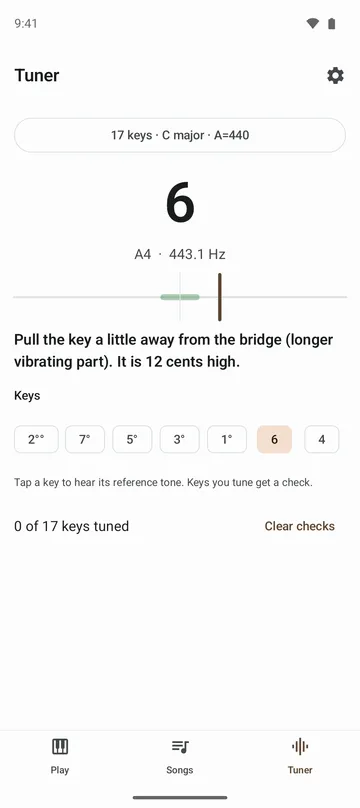
- Pluck a key and see which key it is, how many cents sharp or flat it is, and which way to move it.
- Tune 17-key and 21-key kalimbas in C, G or F major, with the reference at 440 Hz, 432 Hz, or anywhere from 430 to 446 Hz.
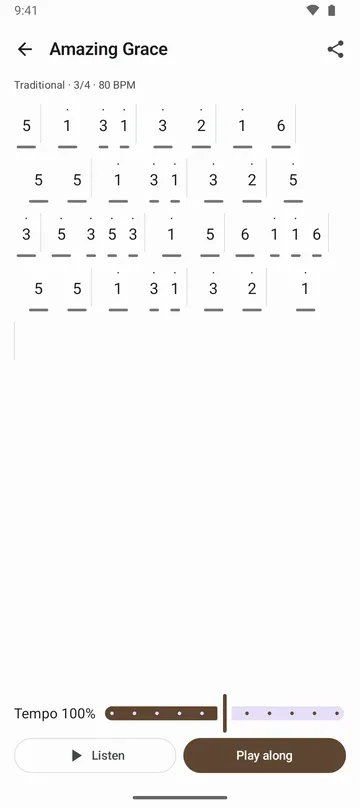
- Public-domain melodies and traditional folk songs written out as kalimba tabs, shown as numbers or letter names.
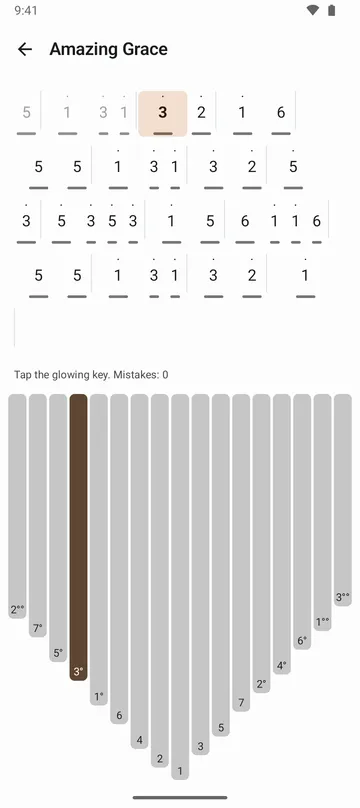
- Hear any song at 50% to 150% speed, then play along as the next key lights up and waits for you.
- Tap the keys to write your own tabs, and save a backup file to move them to a new phone.
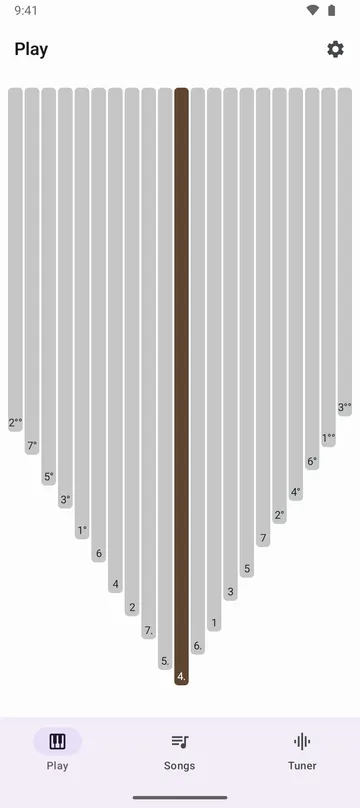
- Play the on-screen kalimba with a kalimba, music box or soft sound, and turn on the metronome to practice in time.
How to use it
Done in 4 steps
- Open the Tuner tab and pick your key count, key and reference pitch at the top.
- Allow the microphone and pluck a key. The app shows which key it heard and how far off it is.
- Push the key toward the bridge or pull it back as the app suggests. When it gets a check, move to the next one.
- Once you're in tune, open the Tabs tab, pick a song, tap Listen to hear it, then tap Play along and follow the glowing keys.
What it doesn't do
Good to know before you install
- Play-along uses the on-screen keys. It doesn't listen to your real kalimba to move to the next note.
- Tuner presets cover 17 and 21 keys in C, G and F major.
- Songs are public-domain tunes and traditional folk songs only, so there's no pop or movie music.
- Bluetooth earphones can make the sound arrive late. Use the phone speaker or wired earphones when you play.
FAQ
Can I tune without giving microphone access?
Yes. Tap a key in the tuner to hear its reference tone and tune by ear. Playing, tabs and your own tabs all work without the microphone.
Which way do I move a key to raise the pitch?
Push it toward the bridge to shorten the part that vibrates, and the pitch goes up. Pull it away and it goes down. The tuner tells you which way for each note.
Does the tuner record me?
No. It listens only while the tuner is on screen, and the sound is processed on your phone. Nothing is recorded or sent.
Can I save a tab as an image?
Yes. Use the share button on a song to save the tab as an image or PDF, or send it to another app.
Do I need an account?
No. Just open it and play. To move your own tabs, use a backup file.
Get the app
Kalimba Tuner & Tabs
Tune 17 or 21 keys in C, G or F major, read and hear tabs, and play along.