
HEIC to JPG Converter & Viewer
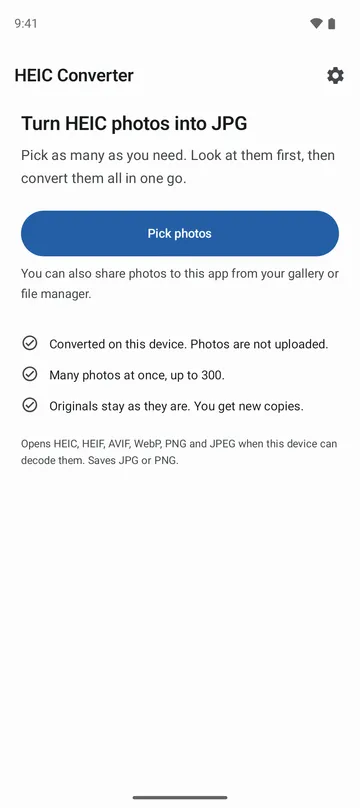
Convert HEIC photos to JPG, many at once, on your device. View them first.

When you need it
Your phone saved photos as HEIC, your computer or a website won't open them, and converting dozens one by one is a pain.
Screenshots
What it does
Only what you need
- Converts up to 300 HEIC or HEIF photos to JPG or PNG in one go.
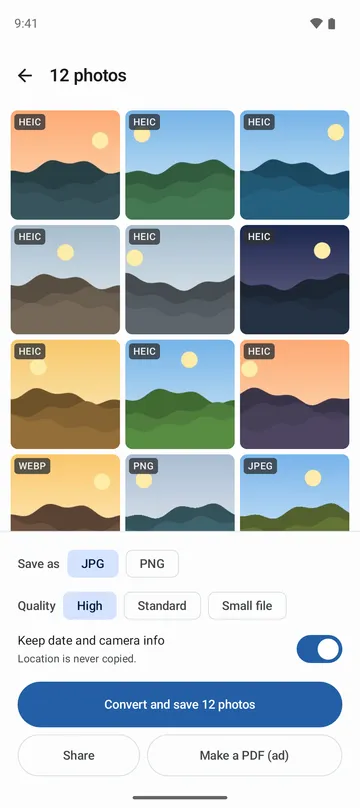
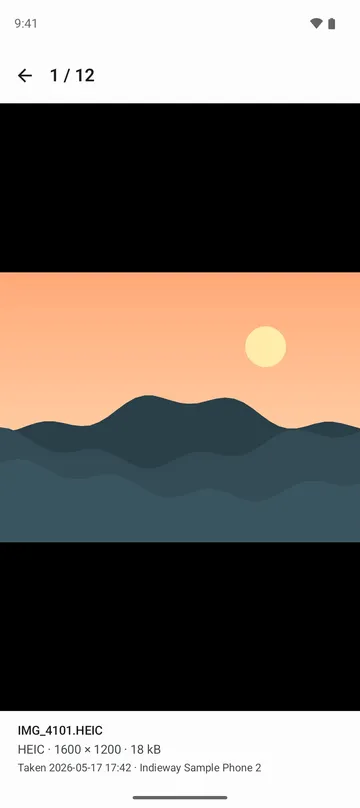
- Shows your photos in a grid first. Open one full screen, swipe to the next, and pinch to zoom.
- Shows the format, size in pixels, file size, date taken and camera for each photo.
- Choose High, Standard or Small JPG quality, and shrink the long side to 2048 or 1080 px if you like.
- Copies the date taken and camera details to JPG results, so your photos keep their date. Location is never copied.
- Save the results to your gallery, share them right away, or put them into a single PDF.
How to use it
Done in 4 steps
- Tap Pick photos on the home screen and choose your photos, or share them to this app from your gallery or file manager.
- Check the grid, then pick Save as (JPG or PNG), quality and size at the bottom.
- Tap Convert and save to convert the whole set. If you stop halfway, the photos already converted are kept.
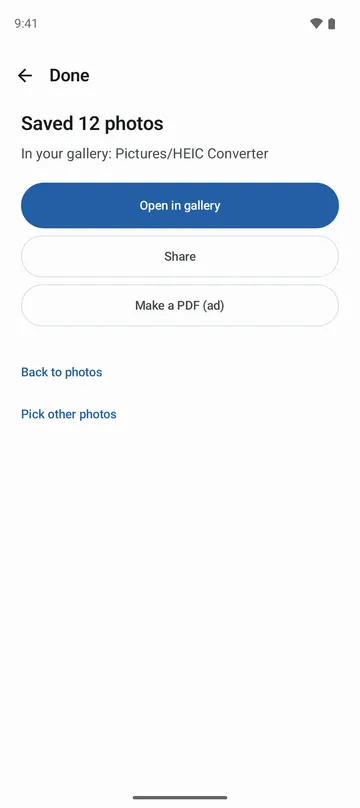
- On the Done screen, see where the results went (Pictures/HEIC Converter in your gallery) and tap Open in gallery or Share.
What it doesn't do
Good to know before you install
- Whether a HEIC, HEIF or AVIF photo opens depends on your device. Photos it can't decode are marked and skipped, and the rest are converted.
- Results are standard 8-bit sRGB pictures, so HDR and wide colour are not kept.
- From a photo that holds several pictures or a short video, only the main picture is converted. Videos are not converted.
- A PDF holds the first 50 photos.
FAQ
What is HEIC, and why won't it open?
HEIC is the format many phone cameras, including iPhone, save photos in. Some computers, websites and older programs can't open it, so this app makes JPG copies that they can.
Are my photos uploaded?
No. Only the photos you choose are read, and they're converted on your device, even without an internet connection. Originals are opened read-only and never changed or deleted.
Where do the converted photos go?
They're saved to Pictures/HEIC Converter in your gallery, and the Done screen tells you where. Tap Open in gallery to see them.
Will I lose the date taken?
JPG results keep the date taken and camera details. Turn off Keep date and camera info if you don't want that. PNG results don't carry this info.
What happens with a very large photo?
It may be saved at a smaller size to fit your device's memory, and the Done screen tells you when that happens.
Get the app
HEIC to JPG Converter & Viewer
Convert HEIC photos to JPG, many at once, on your device. View them first.