Comic Reader: CBZ CBR CB7
Read CBZ, CBR & CB7 comics. Manga right-to-left, two-page view, resume reading.

When you need it
Your CBZ or CBR comics won't open on your phone, or you can't read manga right to left.
Screenshots
What it does
Only what you need
- Opens CBZ, CBR and CB7 comics. The app checks what is inside the file, so a CBR that is really a ZIP still opens.
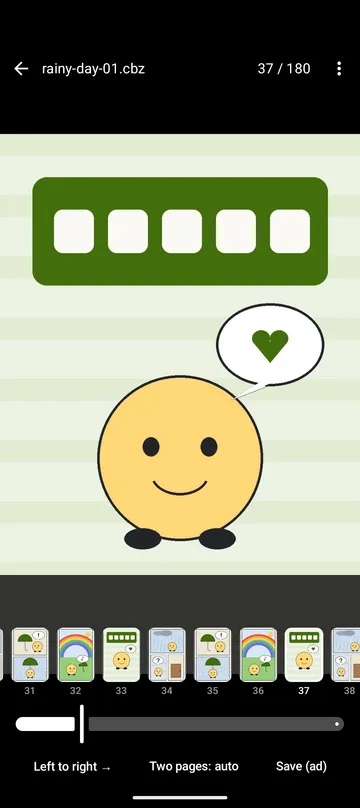
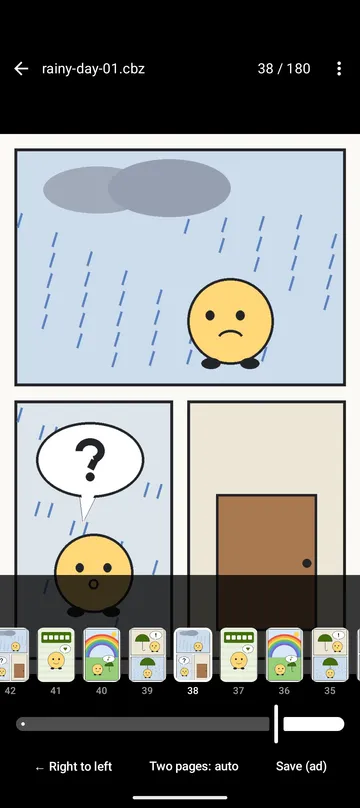
- Turn pages left to right, or right to left for manga. Switch with one button while reading, and each book remembers its direction.
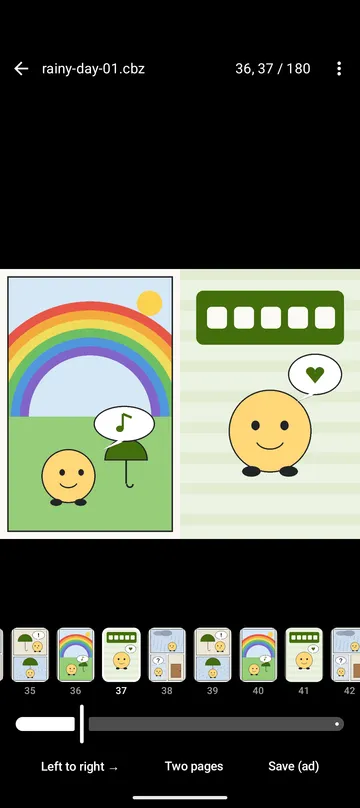
- Two-page view turns on by itself when you hold the phone sideways. The cover and wide two-page scans are shown alone, so the pages after them still line up.
- Close a book and pick up later on the same page, with the same direction and two-page setting. The app remembers your last 500 books.
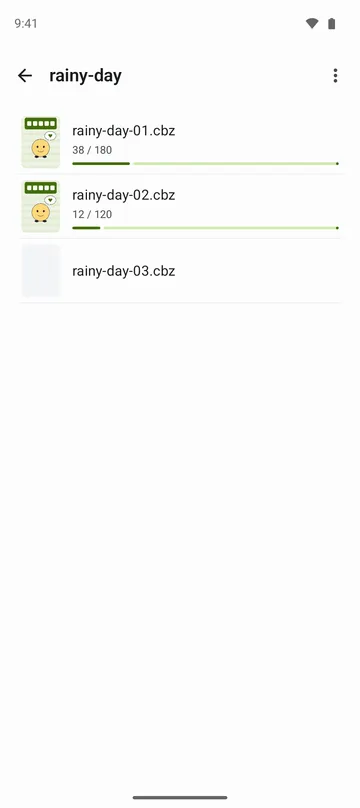
- Choose one folder as your bookshelf to see the comics in it, and go straight to the next volume from the last page.
- Save the page you are reading to your gallery, or export a whole book or a range of pages as one PDF.
How to use it
Done in 4 steps
- Tap Open comic on the home screen and pick a file. You can also open it from your file manager or share it to the app.
- Swipe or tap the edges of the screen to turn pages. For manga, set the direction button to ← Right to left.
- To read a series in order, tap Bookshelf - choose a folder on the home screen and pick the folder with your comics.
- To keep a page, tap Save and choose Save page as a picture or Export as PDF.
What it doesn't do
Good to know before you install
- Password-protected files and archives split into several parts can't be opened.
- TAR (CBT) files and pages in JXL, TIFF, PSD or SVG don't open.
- A book opens up to 10,000 pages, and one PDF holds up to 1,000 pages and 1 GB. Choose a page range for longer books.
- Solid RAR and 7z books are unpacked in order, so jumping far ahead can take longer.
FAQ
Can I read manga right to left?
Yes. Switch the direction button while reading and the book opens that way next time too. If a book says it is right to left in its ComicInfo.xml, it can open that way on its own.
Do I have to find my page again when I come back to a book?
No. The book opens on the same page with the same direction. Recent books show a cover and how far you have read.
Will one broken page stop the whole book from opening?
No. Only that page shows a note, and the other pages still open.
Does removing a book from the recent list delete the file?
No. The original file is only read, and the app has no button to delete, move or rename it. It just leaves the list.
Can I get comics from the internet in the app?
No. The app has no feature for getting comics from the internet. It opens the files already on your phone.
Are my comics uploaded anywhere?
No. Files are read on your phone and are not sent to the developer's server. The app does not ask for storage permission and reads only the files and folder you choose.
Get the app
Comic Reader: CBZ CBR CB7
Read CBZ, CBR & CB7 comics. Manga right-to-left, two-page view, resume reading.