DjVu Reader & DjVu to PDF
Open DjVu books and documents. Contents, search, zoom, and save pages as PDF.

When you need it
Someone sent you a book or scanned document as DjVu, and nothing on your phone opens it or turns it into a PDF.
Screenshots
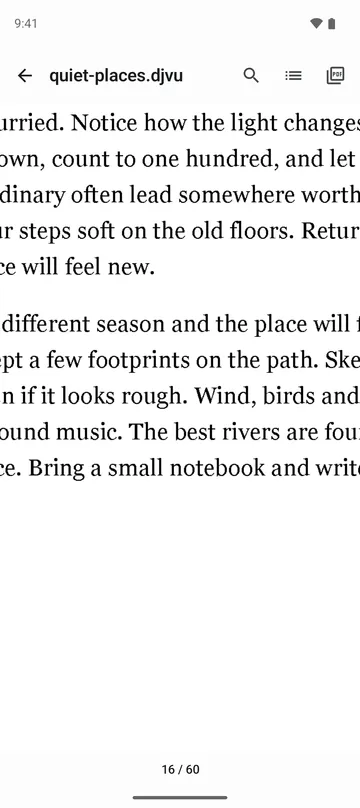
What it does
Only what you need
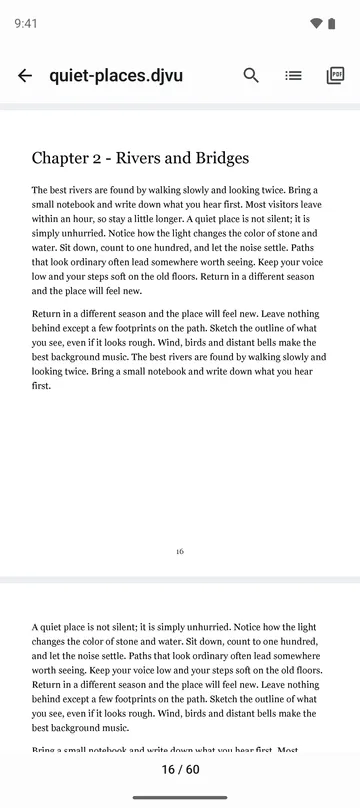
- Opens single-file DjVu (.djvu, .djv). Black and white text pages, color pages, scanned photos and mixed pages are drawn on your phone.
- Scroll up and down to read, and pinch or double tap to zoom up to 4x. The part you are looking at is redrawn sharp.
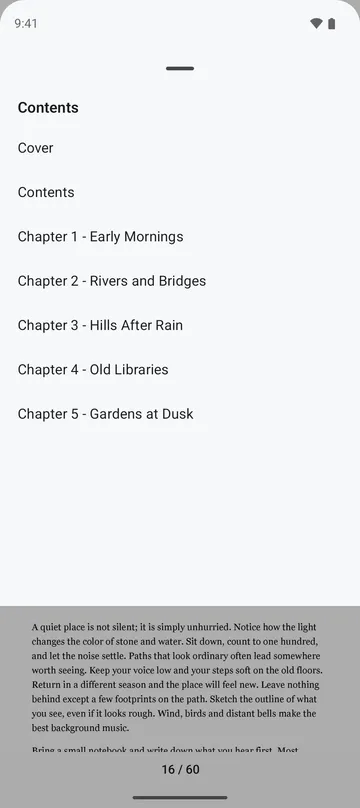
- Open the table of contents and tap a chapter to go there.
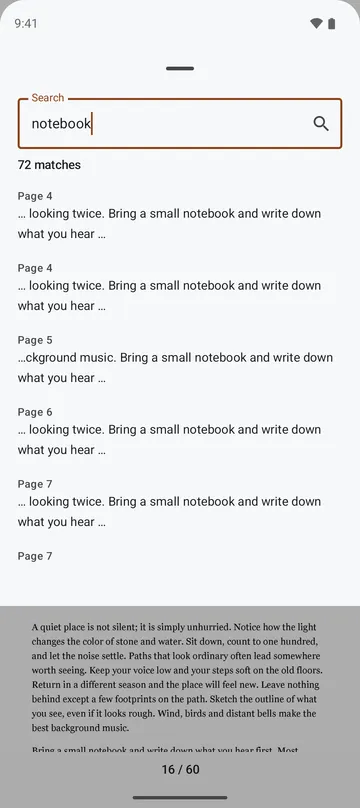
- Search words in books that have a text layer, with the page and the words around each match (up to 500).
- Save this page, a page range (up to 500 pages) or the whole book (up to 2,000 pages) as one PDF. Books whose text layer marks each word keep selectable, searchable text in the PDF.
- Close a book and open it again later on the same page.
How to use it
Done in 4 steps
- Tap Open DjVu on the home screen and pick a file. You can also open it from your file manager or share it to the app.
- Scroll to read. To skip to a chapter, open Contents and tap it.
- To find a word, type it in Search and tap a result to go to that page.
- For a PDF, tap Save and choose this page, Page range as PDF or Whole book as PDF. The app shows an estimated size first.
What it doesn't do
Good to know before you install
- DjVu split into many files (indirect DjVu) can't be opened, and links inside pages can't be tapped yet.
- Books without a text layer can't be searched. The app tells you so.
- A book opens up to 10,000 pages, and a page over 100 megapixels shows a note instead.
- PDFs are made at 150 dpi, so a long book can make a large PDF. Choose a page range for big books.
FAQ
Can I convert DjVu to PDF?
Yes. Save this page, a page range (up to 500 pages) or the whole book (up to 2,000 pages) as one PDF. You can cancel while it saves.
Search finds nothing. Why?
The book may have no text layer. In that case the app tells you there is no text instead of searching forever.
Will one broken page stop the whole book from opening?
No. Only that page shows a note, and the other pages still open.
Do very large scanned books open?
Yes. Files over 32 MB are copied to the app's cache first (up to 4 GB, or 1 GB on 32-bit devices), and the copy is removed when you close the book. Very large pages take a moment longer to draw.
Are my books uploaded anywhere?
No. Files are read on your phone and are not sent to the developer's server. The app doesn't ask for storage permission and only reads the original file.
Get the app
DjVu Reader & DjVu to PDF
Open DjVu books and documents. Contents, search, zoom, and save pages as PDF.
This app is not affiliated with AT&T, LizardTech or Cuminas.