
MP3 Tag EditorMusic Tags
Edit title, artist, album and album art in MP3 and FLAC files. Many at once.

When you need it
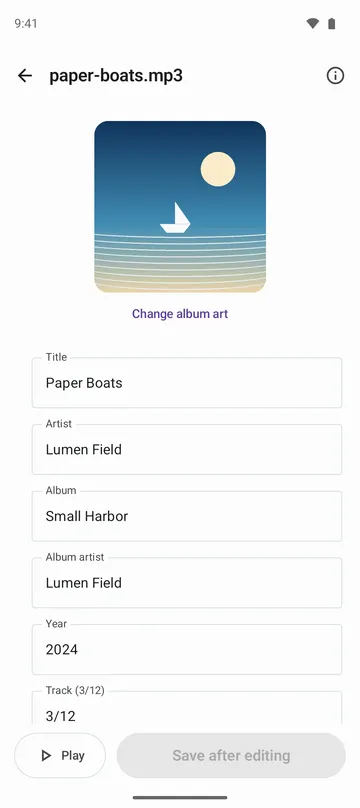
The MP3s on your phone have garbled titles or missing album art, and fixing them meant turning on a computer.
Screenshots
What it does
Only what you need
- Edits the title, artist, album, album artist, year, track and disc number, genre, composer, comment and lyrics of MP3 and FLAC files.
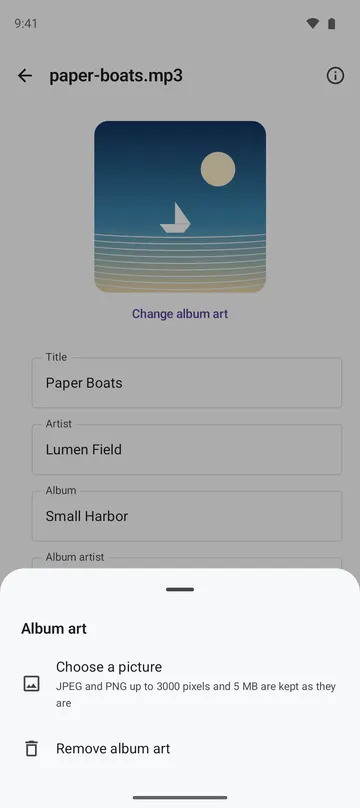
- Changes or removes album art. JPEG and PNG pictures up to 3000 px on the long side and 5 MB go in as they are. Bigger ones are shrunk to 1500 px.
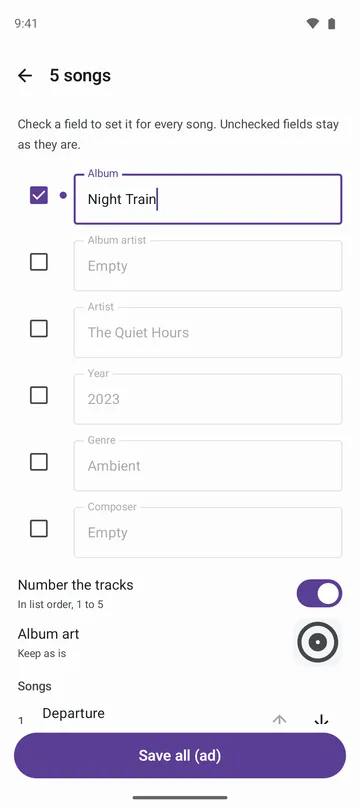
- Pick several songs to set the album, artist, year, genre and more all at once, and number the tracks in list order.
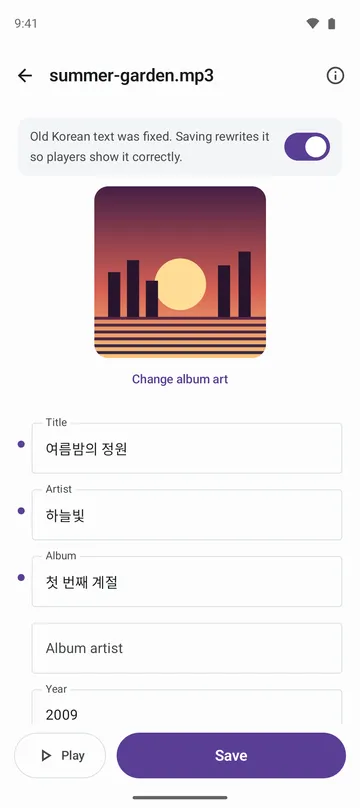
- Reads Korean tags that older programs wrote in EUC-KR correctly, and can rewrite them so music players show them correctly too.
- Each time you save, choose the original file or a new file. The audio is never changed, and it's checked byte for byte before saving.
- Play a song to make sure it's the right one, and see its format, tag version, length, bitrate and sample rate.
How to use it
Done in 4 steps
- Tap Open music files on the home screen and pick the songs to fix. Picking several opens the screen for editing them together.
- Edit fields like title and artist. Tap the album art to choose a picture or remove it.
- For several songs, tick only the fields that should be the same for all of them, and turn on Number the tracks if you need it.
- Tap Save, then choose Save to the original file or Save as new file. After saving to the original, you can tap Undo on the result screen.
What it doesn't do
Good to know before you install
- Only MP3 (ID3v2.2, 2.3, 2.4 and ID3v1) and FLAC can be edited. M4A, OGG, Opus, WAV and WMA aren't supported yet.
- Tags stored in special ways (compressed, encrypted or unsynchronised) are view only, so nothing is lost.
- It doesn't look songs up online or fetch lyrics. You enter the details yourself.
- Files opened from another app can only be saved as new files. To change the original, open it with Open music files.
FAQ
Could saving damage my music files?
The audio is never changed, and the file is checked byte for byte before saving. If the check fails, nothing is changed. When you save to the original, a copy is kept for up to 7 days so you can undo.
My music player still shows the old details.
The player is holding on to its old list. Refresh the library in that app.
Will the edited file get bigger?
Not noticeably. The tag reuses the space it already had, and fields you didn't touch, like play counts and ReplayGain, stay as they are.
Do you support M4A or OGG?
Not yet. For now, MP3 and FLAC can be edited.
Are my songs uploaded?
No. Songs are read and edited only on your phone. The app doesn't ask for storage permission and changes only the files you pick.
Get the app
MP3 Tag Editor
Edit title, artist, album and album art in MP3 and FLAC files. Many at once.