
Font ViewerTTF, OTF Preview
Preview TTF, OTF, WOFF fonts, even inside a ZIP. Browse mapped characters.

When you need it
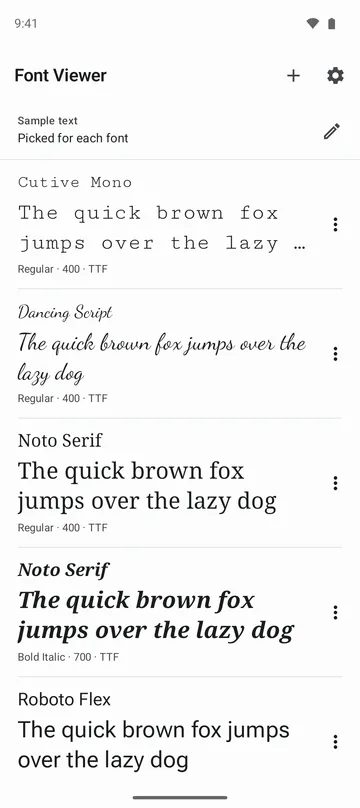
You have a font file and want to see how it looks, which characters it has, and what its license says, right on your phone.
Screenshots
What it does
Only what you need
- Opens TTF, OTF, TTC (collections) and WOFF (1.0), and lets you pick and open the fonts inside a ZIP.
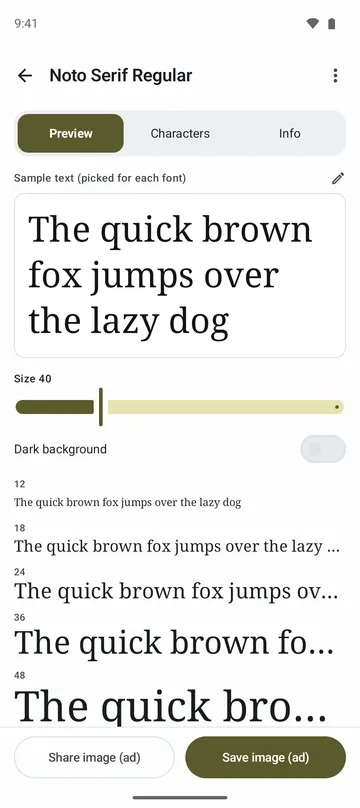
- Type a sample text once and see it in every font you opened, at several sizes at once. Switch to a dark background too.
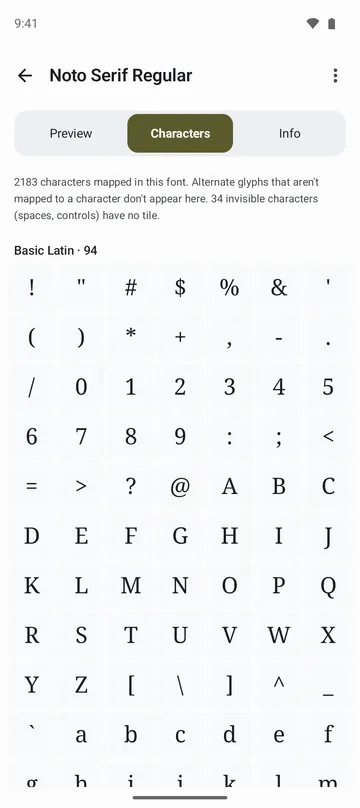
- Characters a font does not have are dimmed, so you can tell at a glance what's missing from your text.
- See the characters in the font's character map, grouped by Unicode block. Tap one to see it large with its code point, and copy it.
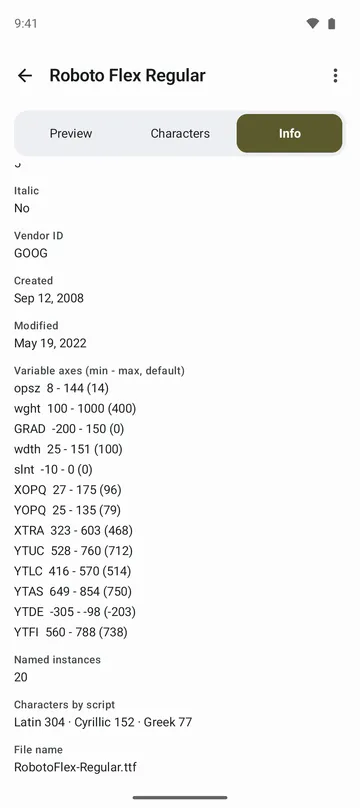
- Shows family, style, version, designer, manufacturer, copyright and license text, plus weight, width and variable axes.
- Save or share a picture of the font with your text at several sizes.
How to use it
Done in 5 steps
- Tap Open fonts on the home screen and pick font files or a ZIP with fonts. You can pick several at once.
- Type your own words in Sample text, and every font in the list shows them.
- Tap a font, choose a size in Preview, and turn on Dark background if you need it.
- Look through the Characters tab, and check names and license in the Info tab.
- To keep a sample, tap Save image or Share image.
What it doesn't do
Good to know before you install
- The app does not add fonts to your phone's system fonts. It is for looking and checking.
- WOFF2, password-protected ZIPs, 7z and RAR are not supported yet.
- Glyphs not mapped to a character, such as ligatures, are not shown.
- A damaged font can close the app while it is drawn. If it closes while first drawing that font, the app asks before drawing it again.
FAQ
Can I tell whether I'm allowed to use a font?
The app shows the license written in the font. Whether you may use it follows that font's own license, so check the terms where you got it too.
Can I check whether a font covers my language?
Yes. Type a sample in your language and missing characters are dimmed. The Characters tab also shows a count for each Unicode block.
Can I see several fonts with the same text?
Yes. Opened fonts stay in your list, and all of them show the same text, one under another.
Does removing a font from the list delete the file?
No. Only the list entry and the app's own copy are removed. The original file is not touched.
Are my fonts uploaded anywhere?
No. Only the fonts you choose are read, on your device, and they are not uploaded. Viewing works without an internet connection.
Get the app
Font Viewer
Preview TTF, OTF, WOFF fonts, even inside a ZIP. Browse mapped characters.