Ocarina Tuner & Fingering
Check pitch, play songs with 4, 6 or 12-hole fingerings, and take a quiz.

When you need it
You're playing your ocarina and want to know right away whether a note is sharp or flat, and which holes to cover for the next one.
Screenshots
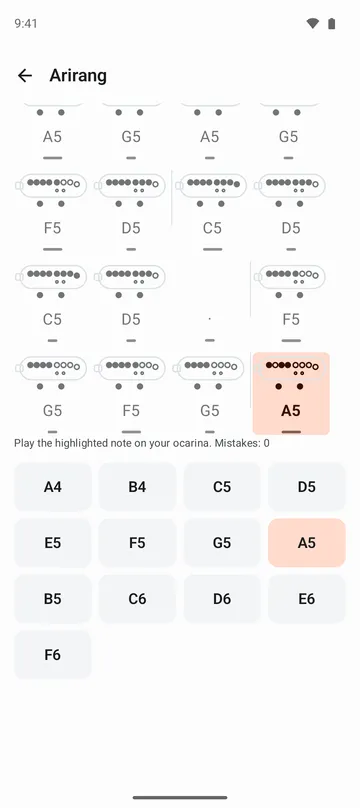
What it does
Only what you need
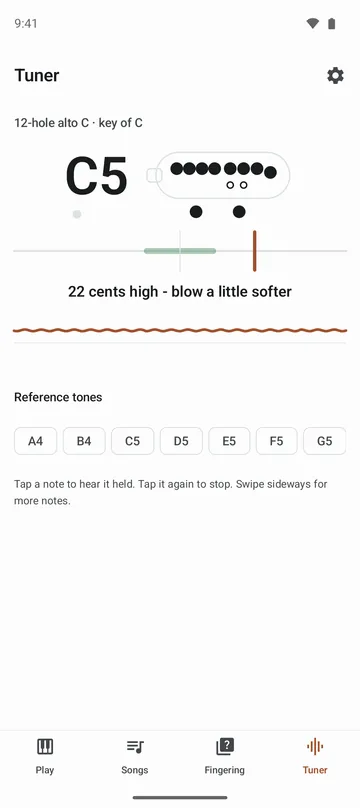
- Blow a note and see its name and how many cents off it is, with a nudge to blow a little softer or a little harder.
- A line traces the last four seconds of your pitch so you can see a wobbly breath, and a Steady dot lights up when the note holds.
- Fingering charts for 12-hole alto, soprano and bass, plus 4-hole and 6-hole pendant ocarinas, in the key you choose: C, G, F, D or B♭.
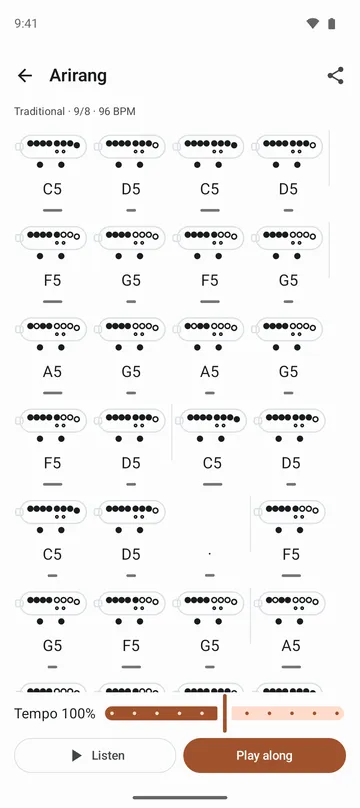
- Public-domain melodies and traditional folk songs with a fingering diagram under every note, playable at 50% to 150% speed.
- Play along with the microphone on, and the app listens for the highlighted note before moving on.
- A fingering quiz, an on-screen ocarina you play by covering the holes, and your own songs you can back up.
How to use it
Done in 5 steps
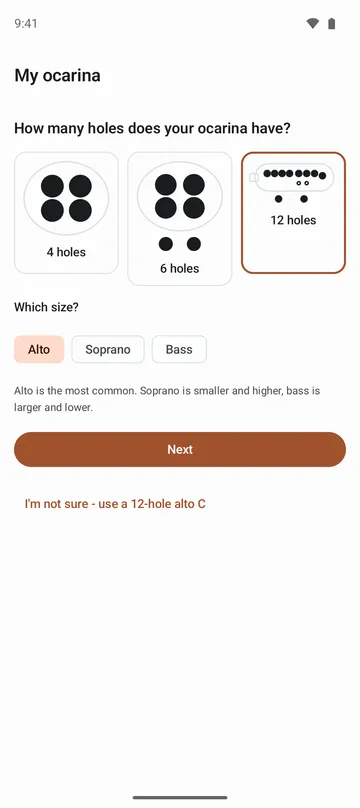
- On first launch, pick how many holes your ocarina has and its size. Not sure? Tap I'm not sure to start with a 12-hole alto in C.
- Cover the holes as shown and blow a long note. The app sets your key from what it hears. Skip the mic and it starts in C, which you can change in settings.
- In the Tuner tab, blow a note and follow the blow softer or blow harder hint until it settles.
- In the Songs tab, pick a song, tap Listen while you read the fingerings, then tap Play along and play the highlighted notes.
- Drill tricky fingerings in the Fingering tab quiz, and retry only the notes you missed.
What it doesn't do
Good to know before you install
- Sharp and flat fingerings for 12-hole ocarinas aren't included yet.
- Double and triple ocarinas aren't supported.
- Songs outside your ocarina's range are grouped at the end of the list and can't be opened on that instrument.
- Keys are limited to C, G, F, D and B♭.
FAQ
Can I use it without the microphone?
Yes. Match a reference tone by ear in the tuner, and practice play-along with the on-screen note buttons. Songs, the quiz and on-screen playing all work without the mic.
I don't know what key my ocarina is in.
When you first open the app, cover the holes and blow a long note, and it picks the key from what it hears. You can redo this anytime under My instrument in settings.
Can I play songs on a 4-hole ocarina?
Yes. Songs are moved into the 4-hole range, and the ones that won't fit are listed separately. More songs open up on 6-hole and 12-hole ocarinas.
My notes keep coming out sharp.
On an ocarina, breath sets the pitch. Blow a little softer when you're sharp and a little harder when you're flat. The tuner tells you which as you play.
Does the tuner record me?
No. It listens only while the tuner is on screen, and the sound is processed on your phone. Nothing is recorded or sent.
Get the app
Ocarina Tuner & Fingering
Check pitch, play songs with 4, 6 or 12-hole fingerings, and take a quiz.