
VCF Viewer: Open Contact Files
Open VCF contact files. Search, merge duplicates, add to contacts, save as CSV.

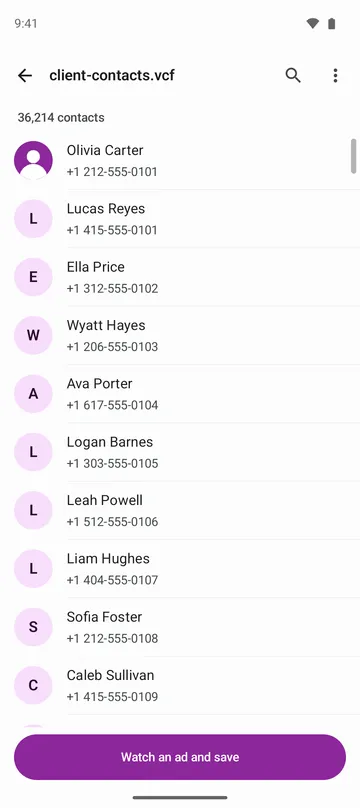
When you need it
Someone sent you a contacts file (VCF), and your phone wants to import it before you can even see who's in it.
Screenshots
What it does
Only what you need
- Opens version 2.1, 3.0 and 4.0 contact files, including old phone encodings like quoted-printable, EUC-KR and Shift_JIS, and UTF-16 files.
- Opens files up to 256 MB and 200,000 contacts. If one contact is broken, only that one is skipped and the rest are read.
- Search by name, phone number, email or company. Numbers match even if spaces or dashes differ.
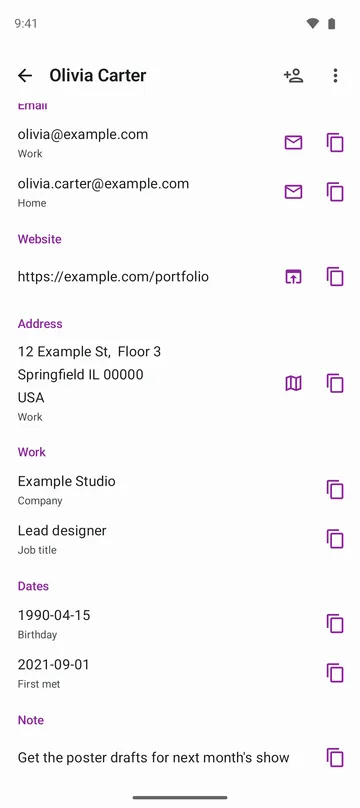
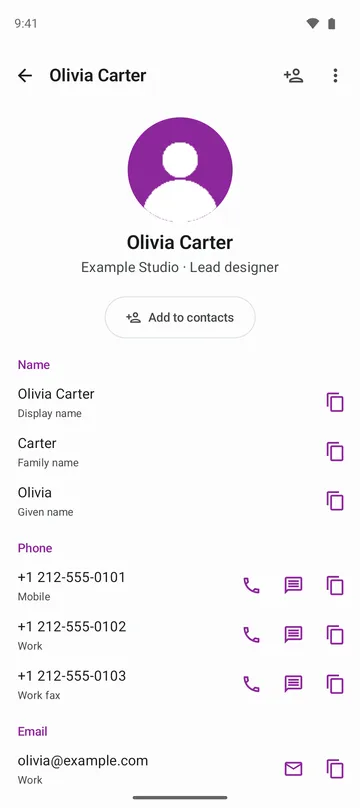
- Open a contact to see phone, email, address, company and title, birthday, website, notes and photo, and tap to call, text, email or open a map.
- Add just the people you need with Add to contacts, or hand the whole file to your contacts app.
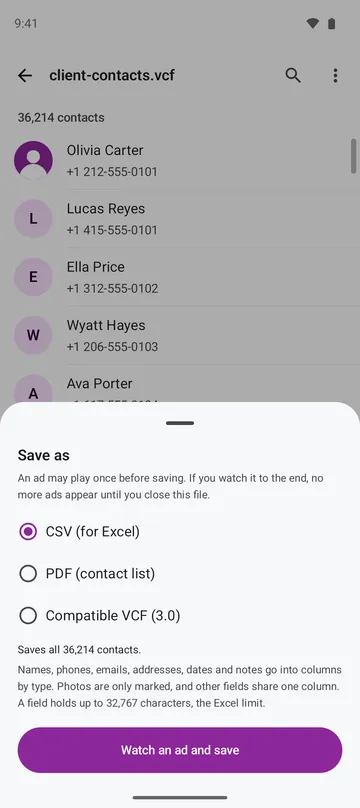
- Save as CSV, a printable PDF list or a compatible VCF (3.0), save only selected people as a new VCF, or merge contacts with the same name and number into one.
How to use it
Done in 4 steps
- Tap a VCF file in your file manager or email and choose this app, or tap Open VCF on the home screen. Share files from chat apps to this app.
- Browse the list and use Search to find a name or number. Switch between name order and file order under More.
- Open a person and tap Add to contacts. Your contacts app opens with the details filled in, and you save it there yourself.
- To keep a file, tap Save and choose CSV, PDF or Compatible VCF (3.0). To tidy up, choose Find duplicate contacts under More.
What it doesn't do
Good to know before you install
- It's a viewer for contact files. It doesn't change contacts or read the contacts on your phone.
- One PDF holds up to 20,000 contacts. Phones with less memory hold fewer, and the app tells you before saving.
- Photos linked by a web address aren't loaded.
- Some contacts apps can't take version 4.0 files. In that case, save a compatible VCF (3.0) and import that file.
FAQ
Does opening a file add people to my contacts?
No. Nothing goes into your phone's contacts unless you save it yourself in your contacts app. The app doesn't ask for contacts permission.
Another phone can't read this VCF file.
Tap Save and choose Compatible VCF (3.0). It's written as 3.0 and UTF-8, which most phones accept. The original file isn't changed.
What goes into the CSV?
Names, phones, emails, addresses, dates and notes go into columns by type, and Korean text stays readable in spreadsheet programs. Photos are noted but not included, and if a type has more than 10 entries, the rest go in the last column.
The same person appears several times.
Find duplicate contacts finds contacts with the same name and number and saves a new VCF with them merged. The original file isn't changed.
Is my contacts file uploaded?
No. Files are read only on your phone. The app doesn't ask for storage permission and reads only the file you open.
Get the app
VCF Viewer: Open Contact Files
Open VCF contact files. Search, merge duplicates, add to contacts, save as CSV.