
Backgammon OfflineDice Log
Every roll goes in a log. Replay a game with the same dice. 5 levels, 2 players.

When you need it
Playing backgammon against the computer, the dice can feel suspiciously lucky, and there's no way to check what was actually rolled.
Screenshots
What it does
Only what you need
- The dice for a game are set when it starts, so the rolls come in the same order however anyone moves. The computer uses the same dice as you.
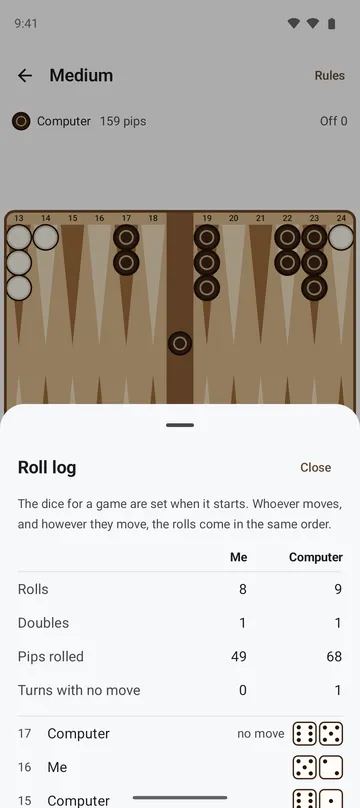
- Open the Roll log at any time during a game to see every roll for both sides, with doubles and turns that had no move.
- When a game ends, Replay with the same dice lets you try it differently with the same rolls. Prefer real dice? Choose Enter my own dice and type in what you rolled.
- Dice stats show how often each face has come up on this phone, for you and for the computer, next to what dice are expected to give.
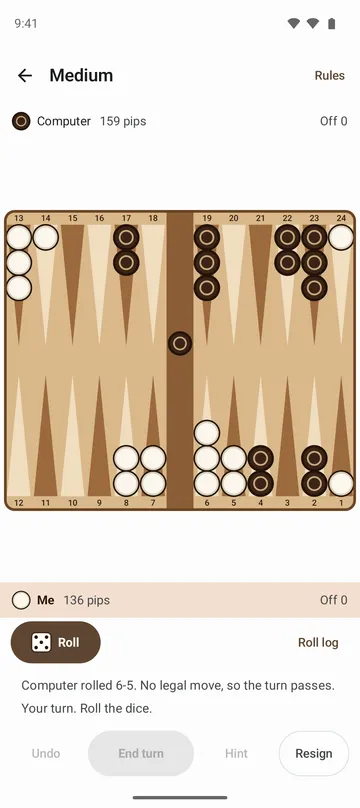
- After the computer moves, a line under the board says what it did, and a blocked move tells you which rule applies. Both sides' pip counts are always shown.
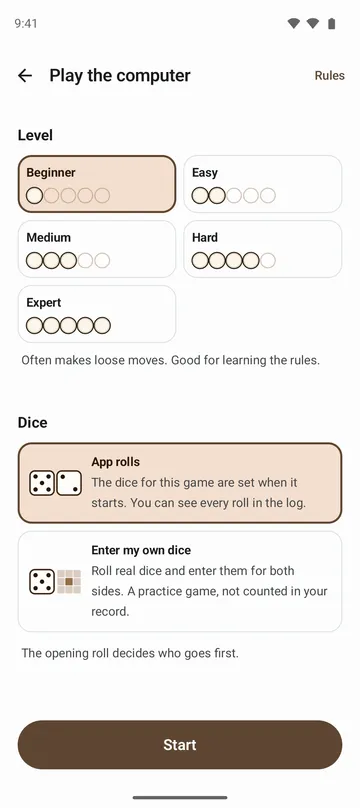
- Five levels: Beginner, Easy, Medium, Hard and Expert, or two players taking turns on one phone. Stuck? Ask for a hint.
How to use it
Done in 5 steps
- On the home screen, choose Play the computer or Two players.
- Pick a level and how the dice work (App rolls or Enter my own dice), then tap Start. The opening roll decides who goes first.
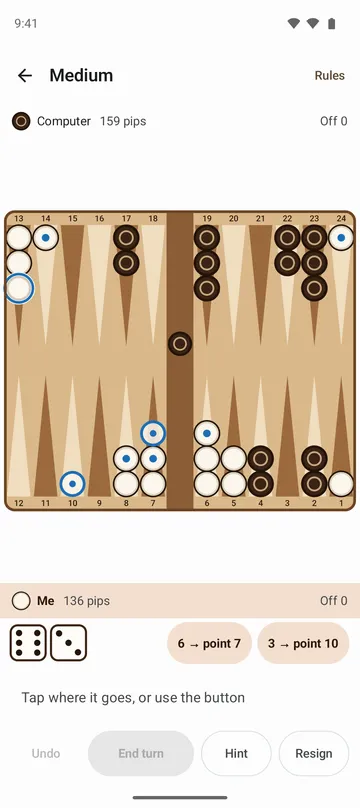
- Tap Roll, then tap a checker and tap where it goes, on the board or on the buttons beside the dice.
- Use Undo as much as you like within your turn, then press End turn to confirm.
- When the game ends, tap See result to check the dice for that game, then choose Play again or Replay with the same dice.
What it doesn't do
Good to know before you install
- There's no doubling cube and no match play. A gammon or a backgammon is a name on the result screen.
- There's no online play. You play the computer or someone sitting next to you.
- Undo works only within your current turn. You can't go back to a turn you've ended.
- Games with Enter my own dice or Replay with the same dice are practice games and don't count in your Record.
FAQ
Doesn't the computer roll whatever it needs?
The computer uses the same dice as you. Check the Roll log and Dice stats yourself, or replay a finished game with the same dice.
Can I play offline?
Yes. It works without internet, and there's no sign-in.
Will I lose my game if I close the app?
No. The game is saved as you play, and Continue on the home screen brings it back.
Tapping Roll every turn gets tiring.
Turn on Roll automatically in settings. Sound, vibration and move animation can be turned off too.
Where is my record stored?
Your games, roll logs, record and dice stats stay on your phone and are never sent to our servers. If device backup is on, they're included in your Google account backup.
Get the app
Backgammon Offline
Every roll goes in a log. Replay a game with the same dice. 5 levels, 2 players.