
PSD ViewerAI & SVG Opener
Open PSD, PSB, AI and SVG files. Turn layers on or off and save as PNG.

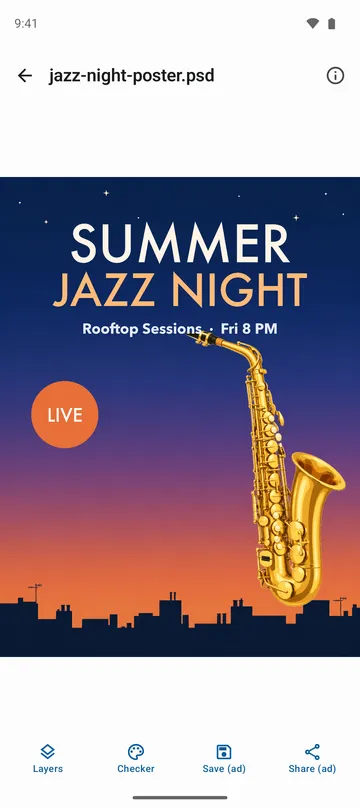
When you need it
A designer sent over a .psd or .ai mockup, and you can't check it until you get back to a computer.
Screenshots
What it does
Only what you need
- Opens PSD and large PSB documents, including 16-bit and 32-bit files.
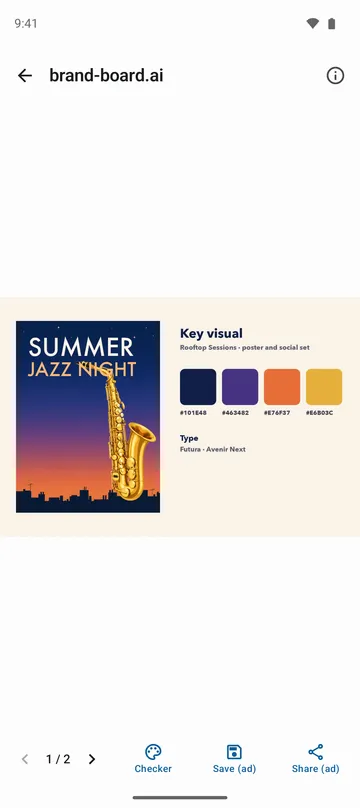
- Opens AI files saved with PDF compatibility, one artboard per page, plus SVG and SVGZ.
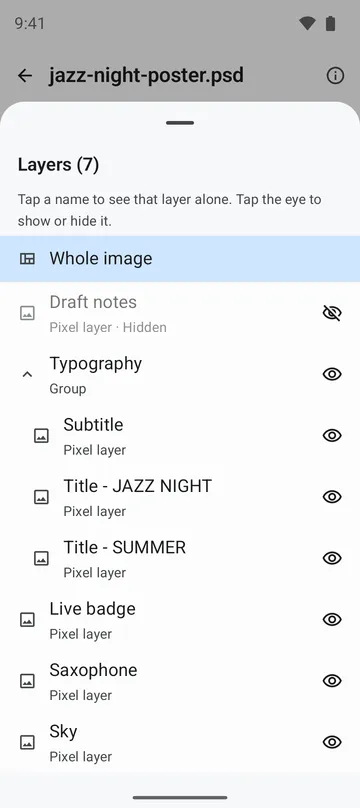
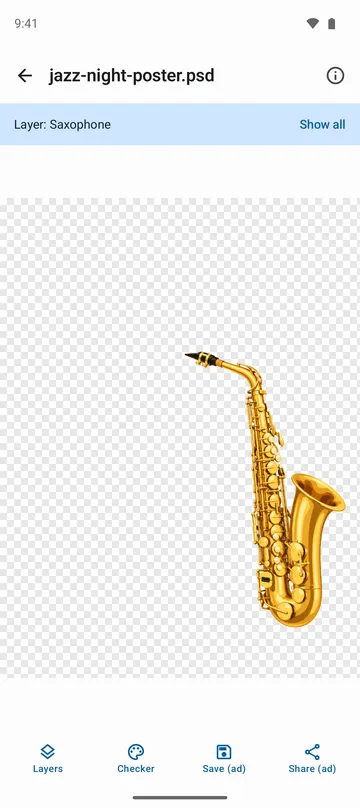
- Browse layers and groups, view a single layer on its own, or tap the eye to turn layers on and off.
- Zoom up to 16x and switch the background between checkerboard, white and black to check transparency.
- Save the image to your gallery as PNG or JPG, or pull out a single layer as a transparent PNG.
How to use it
Done in 4 steps
- Tap Open file on the home screen, tap the file in your file manager, or share it to the app.
- Pinch to zoom and drag to pan. Tap the checkerboard button at the bottom to change the background.
- For a PSD, tap Layers at the bottom. Tap a layer name to see just that layer, or tap the eye to hide or show it. For an AI file, use the arrows at the bottom to move between artboards.
- Tap Save, pick PNG or JPG, and it goes to your gallery. Tap Share to send it to another app.
What it doesn't do
Good to know before you install
- It's a viewer. You can't move layers or edit text.
- Older AI files saved without PDF compatibility, EPS files and password-protected files won't open.
- CMYK and Lab colors are converted without the color profile, so they may not match print colors.
- In some documents with blend modes or effects, layers can't be turned on or off.
FAQ
Can I grab just the logo layer?
Yes. Tap that layer in the list to view it alone, then save. You get a transparent PNG at the layer's own size.
What if the file has the wrong extension?
It still opens. The app identifies the format from the file's contents, not its name.
What size are AI and SVG exports?
You choose 1024, 2048 or 4096 pixels on the long side, on a transparent, white or black background. JPG can't be transparent.
Will a huge PSB open?
Yes, though very large documents are scaled down to fit your phone's memory.
Are my files uploaded anywhere?
No. Files are opened and drawn only on your phone. The app doesn't ask for storage permission and reads only the files you open.
Get the app
PSD Viewer
Open PSD, PSB, AI and SVG files. Turn layers on or off and save as PNG.