
GomokuOffline Five in a Row
Play the computer at 6 levels or 2 players. Forbidden points shown. Win streaks.

When you need it
In gomoku apps a move is suddenly refused or a game is lost, and nothing tells you which rule or forbidden point caused it.
Screenshots
What it does
Only what you need
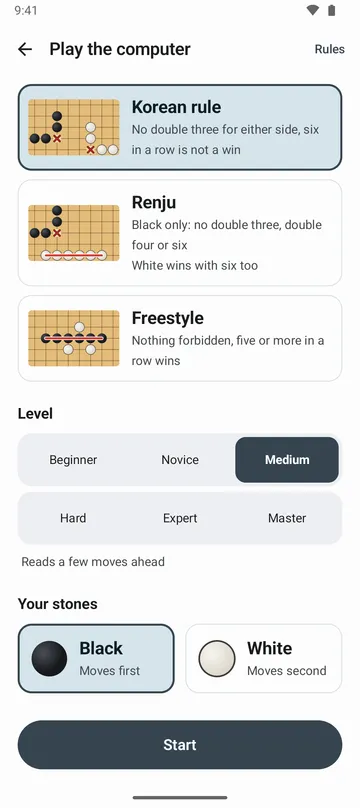
- Choose one of three rules for each game: Korean rule, Renju or Freestyle. Korean rule forbids double-threes for both sides, Renju forbids double-threes, double-fours and six in a row for Black only, and Freestyle has no forbidden moves.
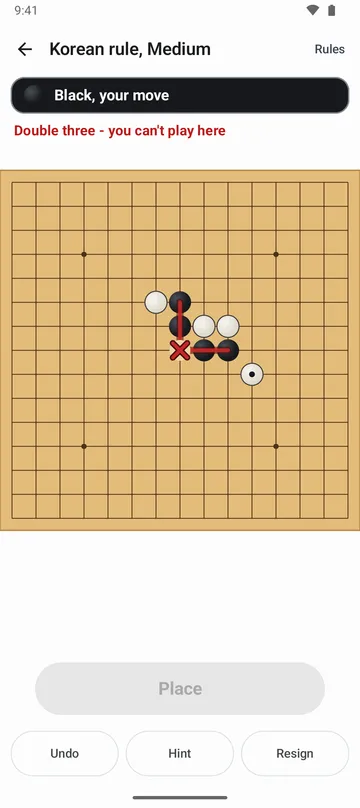
- On your turn, forbidden points are marked ✕ on the board. Tap one to see why you can't play there, and you're warned in advance when the point you need to block five is forbidden.
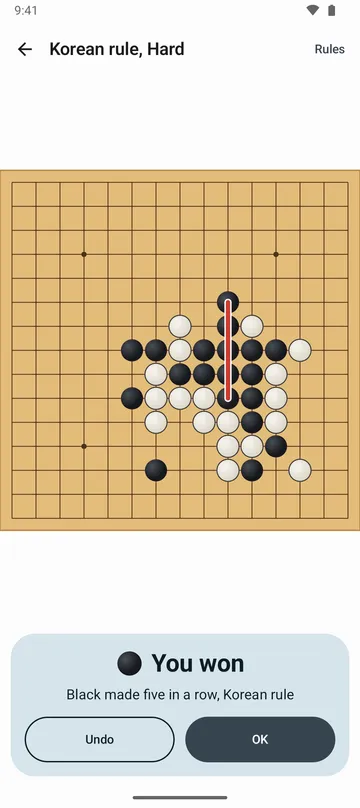
- The result names the rule too, such as Black made five in a row, Korean rule, and the rules can be opened during a game.
- Six computer levels: Beginner, Novice, Medium, Hard, Expert and Master, or two players side by side on one phone. Stuck? Ask for a hint.
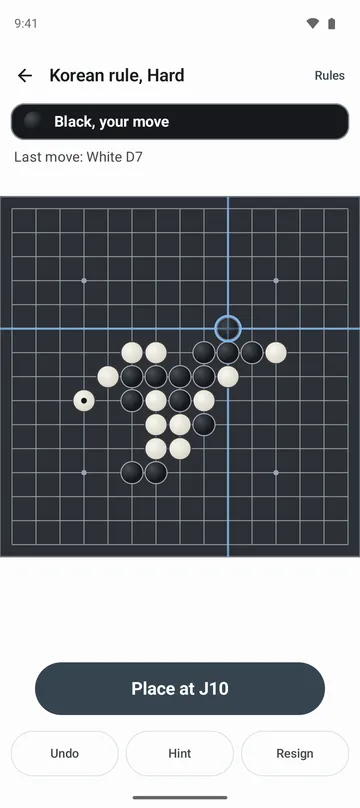
- Tap a point to see a ghost stone and crosshair first, then tap Place or the same point again to play.
- Undo as often as you like, and the game is saved after every move. Your record shows wins, draws and losses by level and rule, recent games, and your current and best streaks.
How to use it
Done in 5 steps
- On the home screen, choose Play the computer or Two players.
- Pick the rules, a level and your stones (Black moves first, White second), then tap Start.
- Tap a point to see a ghost stone, then tap Place or the same point again. Tap a different point to move it.
- You can't play on a ✕. Tap it to see why, and tap Undo if you made a mistake.
- Line up five and the winning line is marked, with the result and the rule. Tap Play again for a new game.
What it doesn't do
Good to know before you install
- The board is 15×15 only. There's no 19×19 board.
- There are no opening rules such as swap. Black moves first and can start anywhere.
- There's no online play or ranking. You play the computer or someone sitting next to you.
- There's no screen for replaying a finished game, and no timed games.
FAQ
Can I play offline?
Yes. It works without internet, and there's no sign-in.
I made six in a row but didn't win.
Under Korean rule you need exactly five. White in Renju and both sides in Freestyle win with six or more.
Can stones go down as soon as I tap?
Yes. Turn off Confirm each move in settings.
Can I see my opponent's forbidden points?
Yes. Under Renju rules, when you play white, the board shows black's forbidden points. It's on by default, and you can turn it off with Show the opponent's forbidden points in settings.
Will I lose my game if I get a call?
No. Every move is saved, so Continue game on the home screen picks it up even after the app closes.
Can I change how the board looks?
Yes. Choose Wood, Paper, Jade or Night under Board style in settings. Vibration when placing a stone can be turned off too.
Get the app
Gomoku
Play the computer at 6 levels or 2 players. Forbidden points shown. Win streaks.