
Harmonica Tuner & Tabs
For 10-hole harmonicas: tuner, bend practice, tabs to hear and play along.

When you need it
You're playing a 10-hole harmonica and can't easily tell which hole a note came from, or whether your bend actually reached the target.
Screenshots
What it does
Only what you need
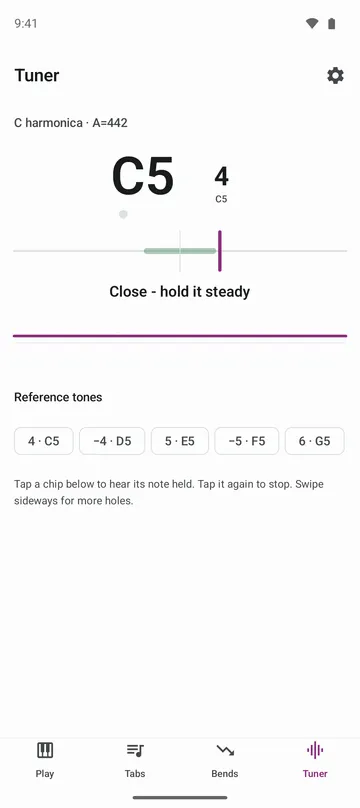
- Play a note and see its name, how many cents high or low it is, and its tab ("4" is hole 4 blow, "−4" is hole 4 draw). A Steady dot lights up when the note holds close to pitch.
- Pick the letter printed on your harmonica (any of the 12 keys) and the tabs match it. Set the reference pitch from 438 to 446 Hz.
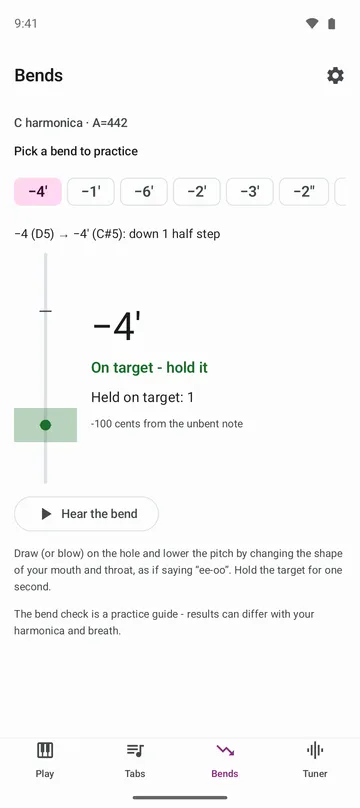
- Choose one of 12 bends. A meter shows your pitch from the unbent note down to the target and counts each time you hold the target for a second.
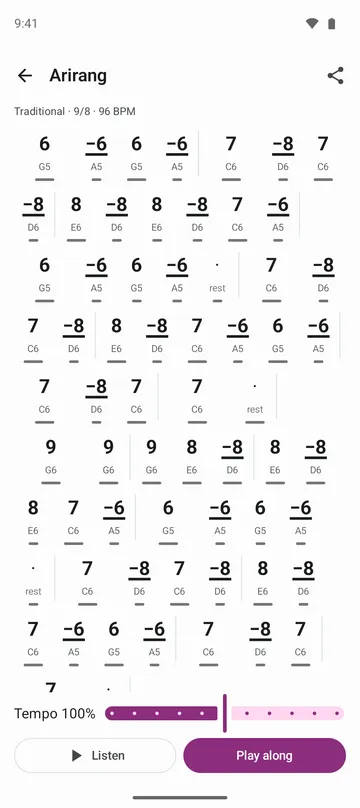
- Public-domain melodies and traditional folk songs come as 10-hole tabs. Listen at 50% to 150% speed, or play along with the highlighted hole.
- Write your own tabs by tapping holes or typing them like 4 -4 5 -3', and move them to a new phone with a backup file.
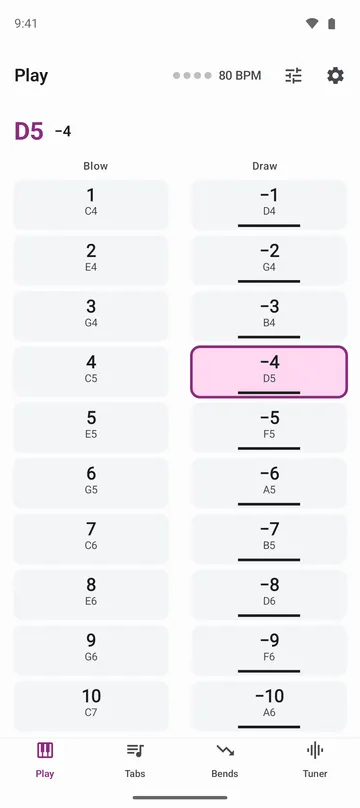
- Play the 10-hole harmonica on screen. Use more fingers for chords, and drag outward to bend.
How to use it
Done in 4 steps
- On first launch, My harmonica asks for the letter printed on your harmonica. Pick it, tap Check with hole 4 and blow hole 4. Later you can switch with Change harmonica in Settings.
- In the Tuner tab, allow the microphone and play a note. You'll see the note name, how far off it is and which hole it came from.
- In the Bends tab, pick a bend, tap Hear the bend first, then watch the meter as you bend down to the target and hold it.
- In the Tabs tab, pick a song, tap Listen, then tap Play along and follow the highlighted holes.
What it doesn't do
Good to know before you install
- Tabs and bend practice are for 10-hole (diatonic) harmonicas. Tabs for tremolo and chromatic harmonicas aren't available yet.
- The bend check is a practice guide. Results can differ with your harmonica and breath.
- The songs are public-domain melodies and traditional folk songs only. There are no pop or film songs.
FAQ
Can I use it without the microphone?
Yes. In the tuner, tap a reference tone and match it by ear, and in Play along you tap the holes. Playing on screen and your own tabs work without the microphone too.
What reference pitch should I use?
Many harmonicas are made a little above A=440. On first launch, blow hole 4 and the app suggests a value.
Does it work with tremolo or chromatic harmonicas?
There are no tabs for them yet, but the tuner's note names work with any harmonica.
Is the sound the tuner hears recorded?
No. The tuner listens only while it's on screen, and sound is processed on this device. It's never recorded or sent.
Do I need an account?
No. There's no sign-in. Move your own tabs with a backup file.
Get the app
Harmonica Tuner & Tabs
For 10-hole harmonicas: tuner, bend practice, tabs to hear and play along.