ODT & ODS Viewer: OpenDocument
Open ODT documents and ODS spreadsheets. Find text, sum columns, save as PDF.

When you need it
A school or office sent you an .odt document or .ods spreadsheet, and nothing on your phone will open it.
Screenshots
What it does
Only what you need
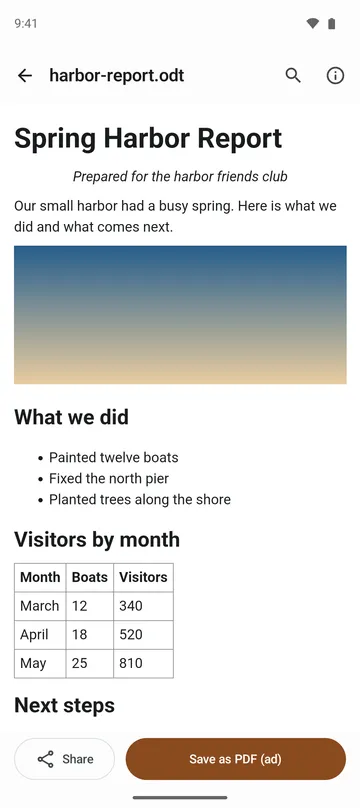
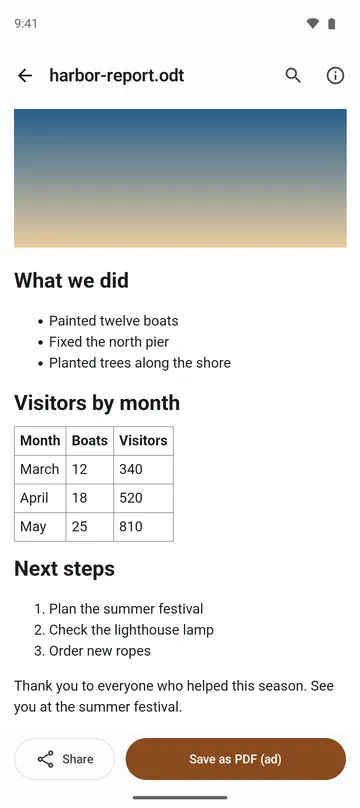
- Shows ODT documents with their headings, lists, tables (merged cells included), pictures, colors and alignment.
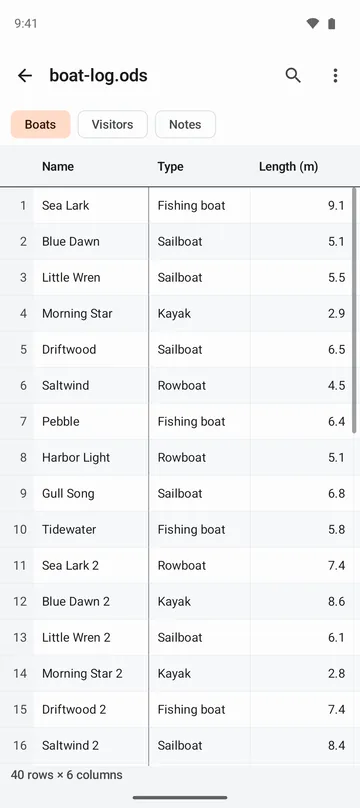
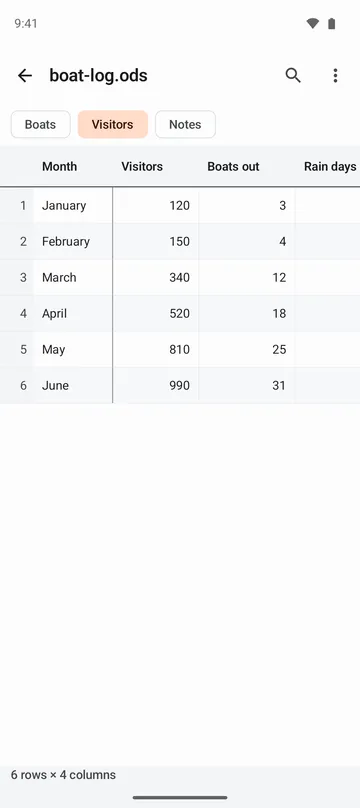
- Switch between ODS sheets with the tabs up top, with the first row and column pinned while you scroll.
- Sort by tapping a header, filter a column by a condition, and get a column's sum, average, min, max and count of distinct values.
- Find a word or value in a document or sheet and step through every match.
- Save a document as PDF or a sheet as CSV, or share the original file.
- Dark mode keeps text readable, and you can switch back to the document's original colors.
How to use it
Done in 4 steps
- Tap the .odt or .ods file in your email, messaging or file app and choose this app. Sharing it to the app or tapping Open file on the home screen works too.
- Documents read top to bottom as one page. In a spreadsheet, tap a sheet name at the top to switch sheets.
- Use the magnifying glass to search. In a sheet, tap a column header to sort or open the column summary.
- Use the buttons at the bottom to save as PDF (documents) or CSV (sheets), or share the original.
What it doesn't do
Good to know before you install
- It's view-only. Files are never changed.
- Documents show as one continuous page, without page breaks, headers, footers, page numbers, charts, drawings or comments.
- Password-protected files can't be opened yet.
- Presentations (.odp) and drawings aren't supported.
FAQ
Will I see formula results in a spreadsheet?
Yes. Cells show the values saved in the file, so formula results, dates and percentages appear as they were saved.
Can it handle really big spreadsheets?
Files under 50 MB open. For very large sheets, the app shows the first part and tells you on screen. Sorting may not be available on those.
Does it show cell colors and formatting?
Cell formatting isn't shown in spreadsheets, and merged cells show only the first cell's value.
Are my files uploaded anywhere?
No. The app reads only the file you pick and shows it on your device. It doesn't ask for access to all your storage, and pictures or links in a document never load anything from the internet.
Which Android versions are supported?
Android 8.0 or later.
Get the app
ODT & ODS Viewer: OpenDocument
Open ODT documents and ODS spreadsheets. Find text, sum columns, save as PDF.