CSV ViewerSort & Filter
CSV file reader: open CSV and TSV as a table, sort, filter, sum columns, print.

When you need it
You open a CSV file on your phone and get a wall of comma-separated text, or broken characters, instead of a table.
Screenshots
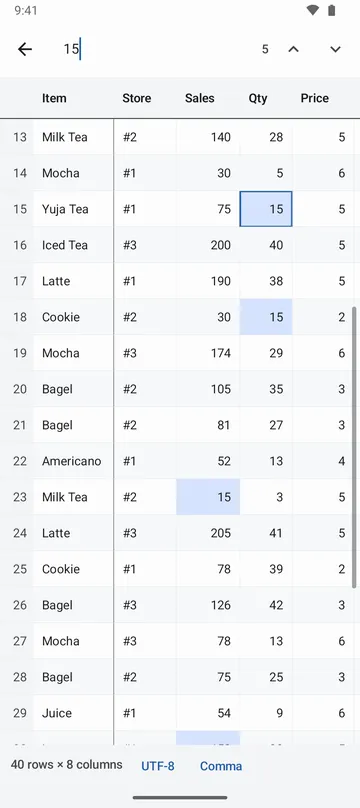
What it does
Only what you need
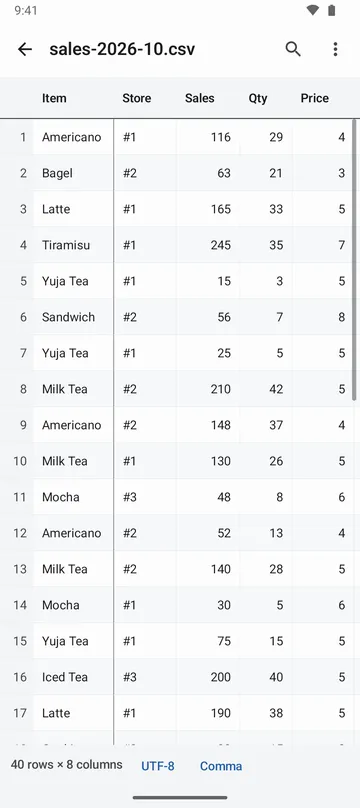
- Opens CSV and TSV files as a table. The first row stays at the top as the header, and the first column stays on the left while you scroll sideways.
- Detects the delimiter (comma, tab, semicolon or pipe) and the text encoding (UTF-8, UTF-16, EUC-KR, windows-1252), so letters show correctly.
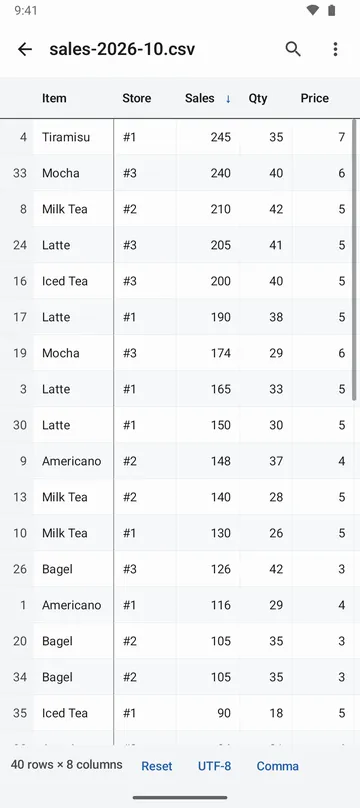
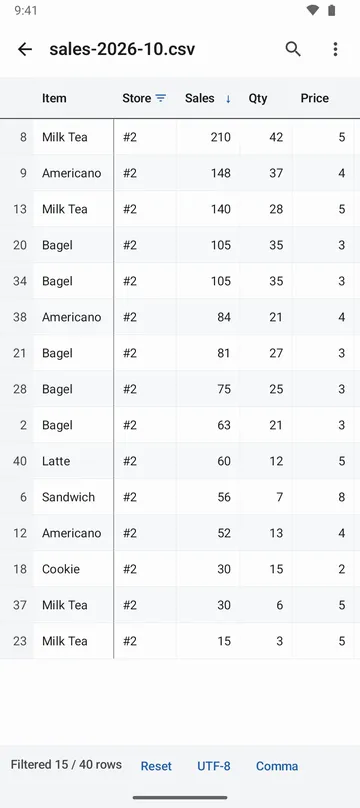
- Tap a header to sort, keep only the rows that match (contains, equals, is not empty), and find any word in the table.
- Column summary shows the sum, average, smallest and largest value, and how many different values there are.
- Opens files up to 1,000,000 rows. On devices with little memory it loads fewer and tells you how many rows are shown.
- Save the filtered or sorted rows as a new CSV in the order you see them, print them, or save them as a PDF.
How to use it
Done in 5 steps
- Tap Open file on the home screen and pick a CSV or TSV file, or tap a CSV file in your file app and open it here.
- If letters look broken, change Text encoding. If cells are split in the wrong place, change Delimiter.
- Tap a header to sort ascending or descending, or use Filter… to set a condition and tap Apply.
- For the sum and average of a number column, open its Column summary.
- Use Export to save the rows As shown now or Save as PDF, or tap Print to print them.
What it doesn't do
Good to know before you install
- This app only shows tables. It does not change cell values or overwrite your file.
- Spreadsheet files such as xls and xlsx can't be opened. Save the sheet as CSV first.
- Sorting and filtering apply to one column at a time.
- A very large file is read up to a point, and the screen says how far.
FAQ
The letters look broken. What can I do?
Pick the encoding yourself in Text encoding. Besides the detected ones (UTF-8, UTF-16, EUC-KR, windows-1252), you can choose Shift_JIS, GBK and Big5.
Do number columns sort correctly?
Yes. Number columns sort by value, not by spelling, so 10 comes after 2.
What about cells with commas or line breaks inside them?
Quoted cells are read as one cell, including the commas and line breaks inside. Rows with a different number of cells still appear, and the app tells you how many there are and where the first one is.
Will my saved CSV show non-English text correctly on a computer?
Save it as UTF-8 (BOM) CSV and the text stays readable in spreadsheet programs.
Is my file uploaded anywhere?
No. Only the file you pick is read, and what you load into the table is processed on this device only. When you close the table the app removes the copy it made, and that copy is never part of a backup.
Get the app
CSV Viewer
CSV file reader: open CSV and TSV as a table, sort, filter, sum columns, print.