
MIDI Player & Loop Practice
Play MIDI files, repeat a section with A-B loop, and save songs as WAV.
When you need it
You have a MIDI file but no easy way to just listen to it on your phone, and repeating a tricky part to practice it is a hassle.
Screenshots
What it does
Only what you need
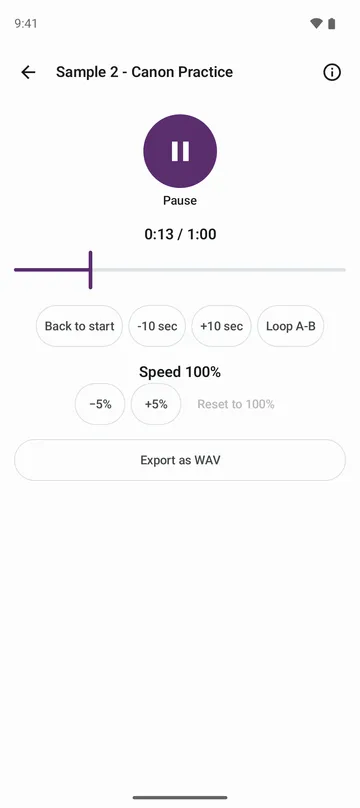
- Open .mid, .midi and .kar files on your phone, play or pause, and jump anywhere with the time bar.
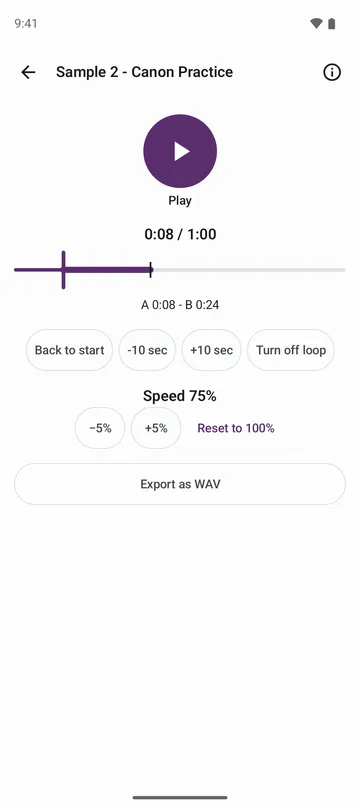
- Change the speed from 50% to 200% in 5% steps. The pitch stays the same when you change the tempo.
- Set points A and B on the time bar to repeat just that section. Handy for practicing a hard bar slowly.
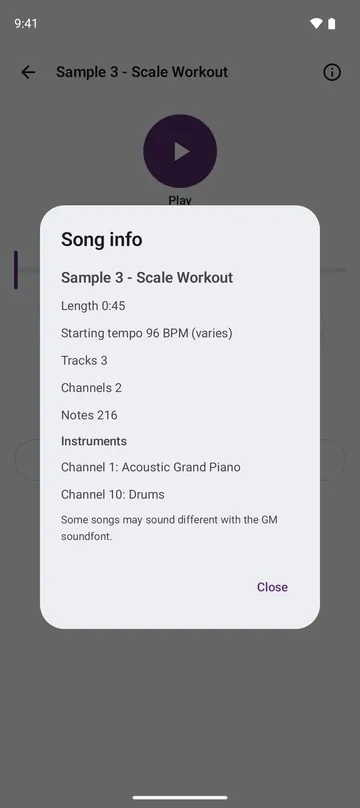
- See the length, tempo, number of tracks and channels, and the first instrument on each channel in Song info.
- Save the whole song as a WAV file when the result at your chosen speed is 20 minutes or less. The app shows the expected size and length before you save.
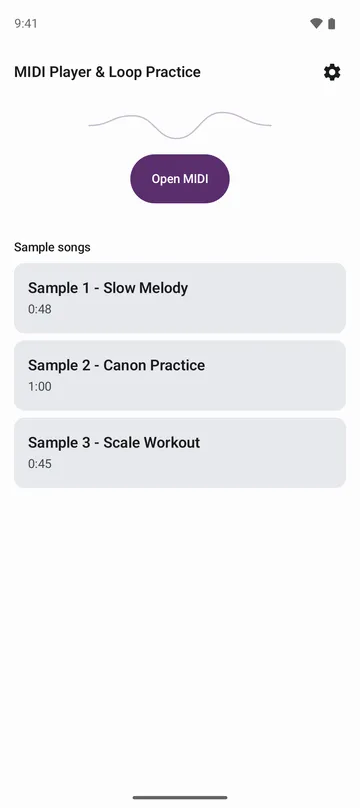
- Three sample songs we made ourselves are included so you can try it right away.
How to use it
Done in 4 steps
- On the home screen tap Open MIDI to pick a file, or tap one of the sample songs below.
- Press play, then drag or tap the time bar to go to the part you want to hear.
- Tap Loop A-B and set the start point A and then the end point B, and that section repeats (at least 1 second of the original song). Lower the speed to practice slowly.
- Tap Export as WAV, check the size in the window that appears, and choose where to save. The whole song is saved as a WAV file.
What it doesn't do
Good to know before you install
- Playback pauses when you leave the app or another app takes the audio. Keep this app in front while you listen.
- Only standard MIDI files (format 0 and 1) open. Format 2 and SMPTE-timed files can't be opened, and the app tells you why.
- Sound comes from one built-in General MIDI sound set. Songs that rely on GS or XG extensions can sound different from the original, and up to 128 notes can sound at once.
- Files up to 2 MB, songs up to 30 minutes up to 64 tracks and up to 300,000 MIDI events open, and songs using many instruments may not open because of the memory limit. A WAV can be saved only if the result at your chosen speed is 20 minutes or less. Editing, score view and recording are not supported.
FAQ
Does my file leave the phone?
No. Reading the song, playing it and making the WAV all happen on your phone. A saved file goes only where you choose, and choosing a cloud folder uploads it to that service.
When do ads appear?
The player screen doesn't show ads while you open, play or loop a song. A small banner sits at the bottom of the home screen, and before you save a WAV the app tells you an ad may play once.
Why is the WAV file so large?
WAV is uncompressed audio, so a four-minute song is around 40 MB. The app shows the expected size before you save, and it won't save if the result at your chosen speed is longer than 20 minutes.
Does it keep playing if I turn off the screen or switch apps?
No. It stops when you leave the app. While a song plays, the screen is kept from turning off automatically.
Which MIDI files won't open?
Files that aren't MIDI, format 2, files with SMPTE timing, and files over 2 MB or with more than 64 tracks can't be opened, and the screen explains why.
Get the app
MIDI Player & Loop Practice
Play MIDI files, repeat a section with A-B loop, and save songs as WAV.